

Gojira94
-
Posts
718 -
Joined
-
Last visited
Content Type
Profiles
Forums
Gallery
Everything posted by Gojira94
-
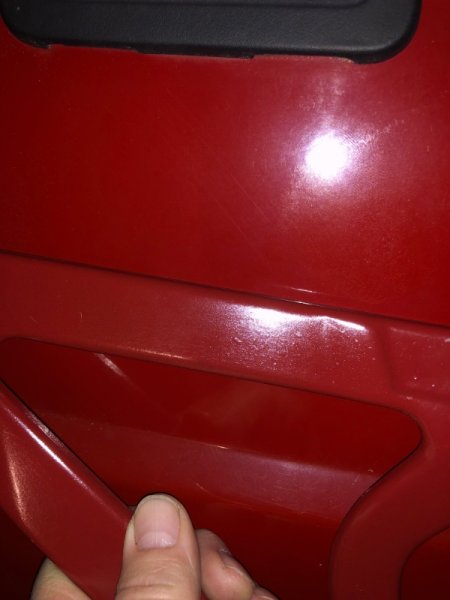
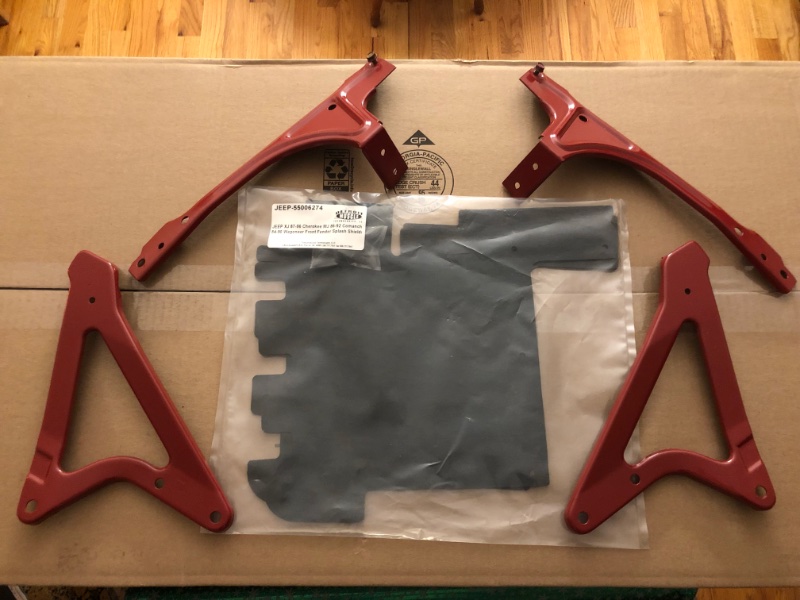
Other front end bits done. And I found the front splash shields at Detroit Muscle Technologies. They also have the main splash shield for early XJ and MJ as well as later XJ. I’m holding on that piece until I can figure out if it’ll work with some alteration after the big steering box brace kit and IronMan track bar brace go in. Rustoleum Colonial Red is a very very close match to what the last cheap paint job put on this rig.
-
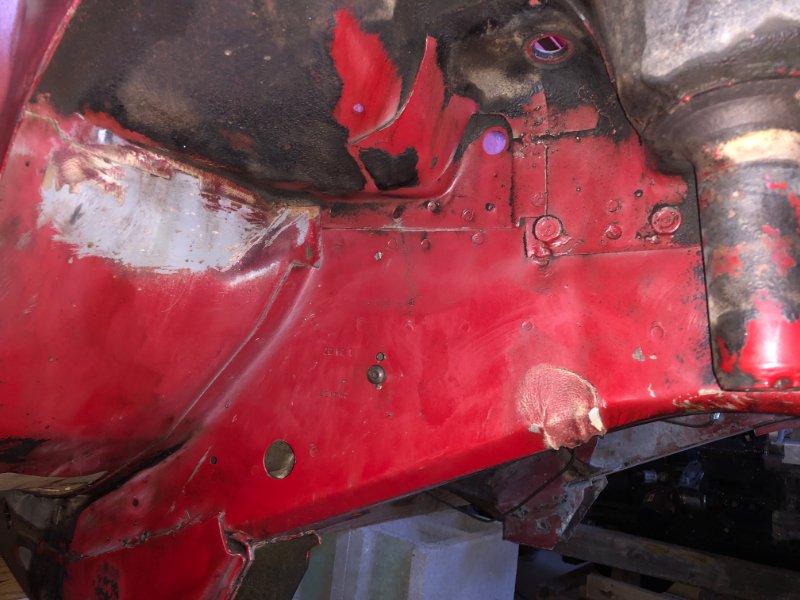
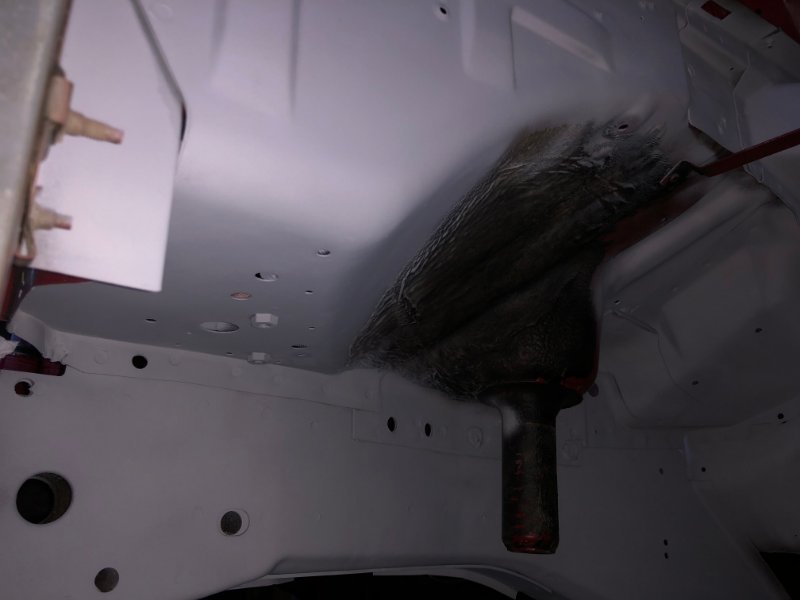
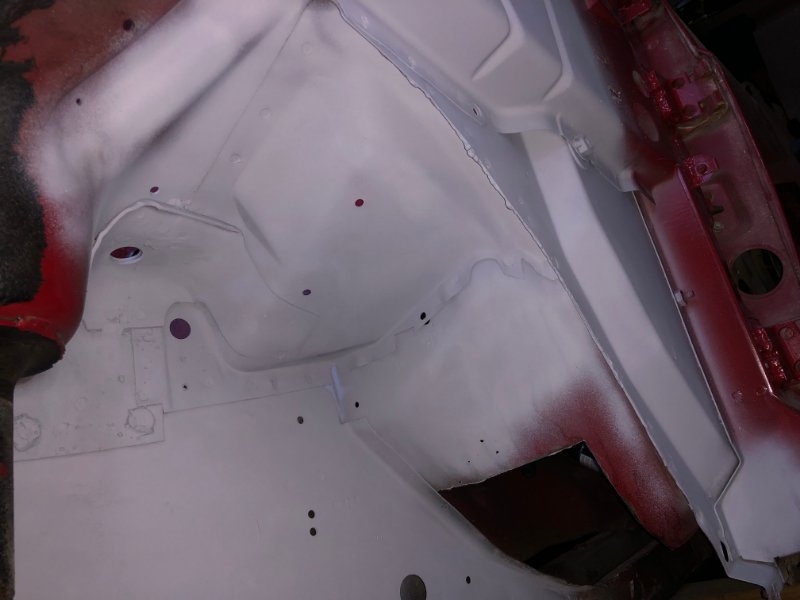
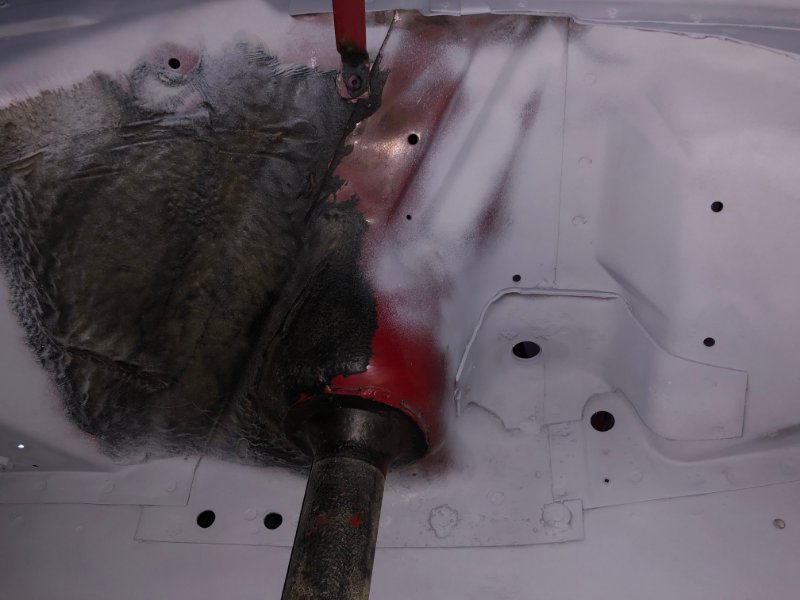
Thanks! It is a sloooow project. I'm about at critical mass with parts that were missing for the whole drivetrain & 4X4 swap, multiple component upgrades, etc. As soon as I get the front frame and engine bay painted it'll pick up speed. Initial progress on the passenger side wheel well:
-
Have you drained the pan yet? I'm fearing a decent amount of water made its way to the bottom of the crankcase and found a pair of rod journals sitting low... Great find at a great price, regardless. Congrats and looking forward to more updates.
-
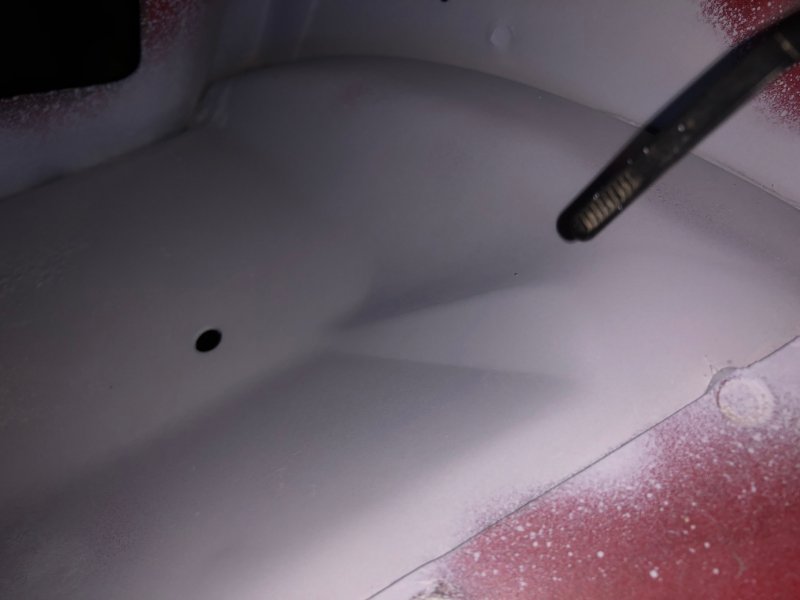
Getting there on the driver's side fender well. All the light rust is gone, now seeing the remaining floor pan pin holes better as well. I'll need to trim out a little more. The spring tower has a really thick layer of the original undercoating I decided to leave in place, I wire wheeled the surface layer off of it and it's still very thick and somewhat pliable. In the area I got down to paint, everything looks really good and I don't see any benefit to removing the rest of it. I'll feather in the red paint where it's primered and go back with POR-something undercoating in the rest of the wells, with an additional spritz on the old coating left in place. Top rear side of the driver's wheelhouse at the firewall- this is coming along as well. Everything in this corner has been cleaned out, sanded, steel tooth-brushed, hit with acetone and primered. The whole engine bay will be repainted red once everything is cleaned and prepped. Can't wait to post that pic, lol...
-
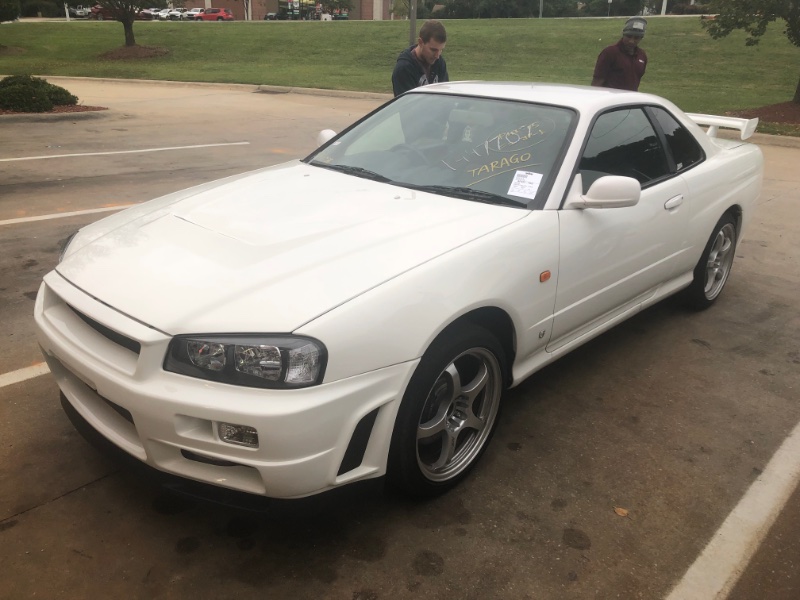
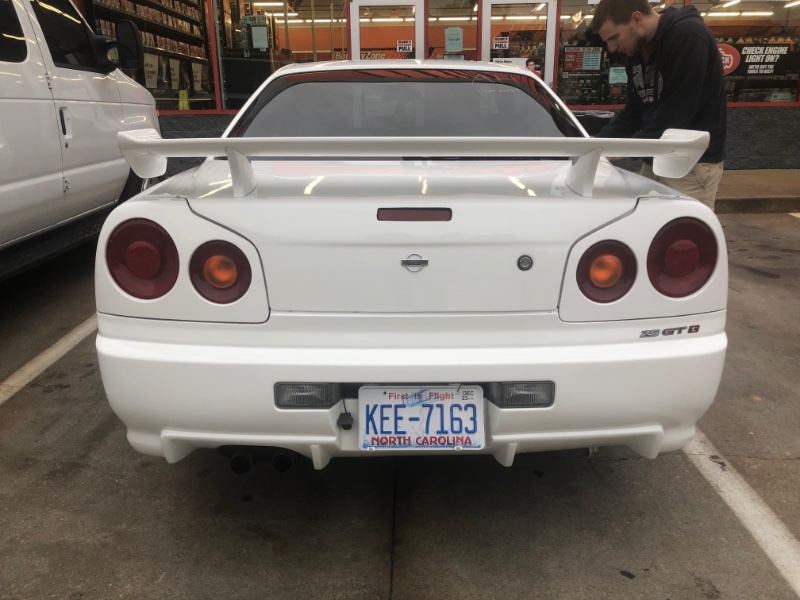
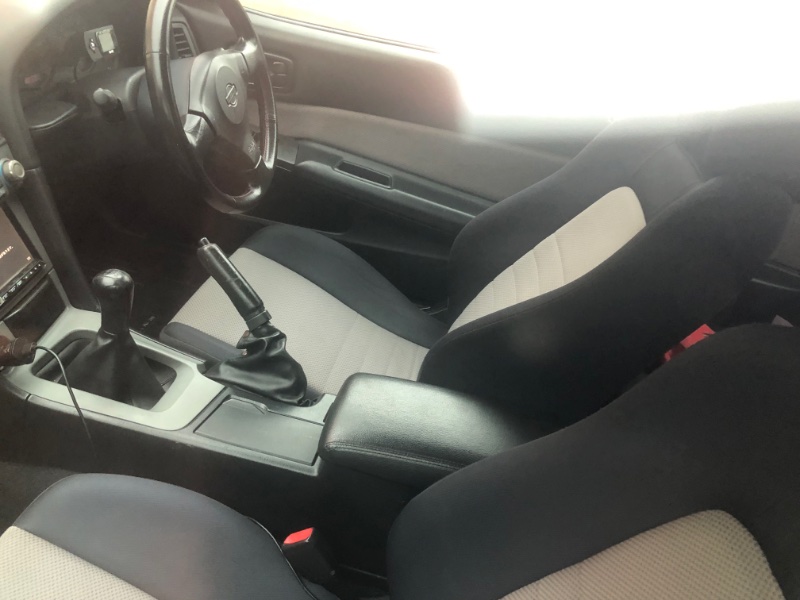
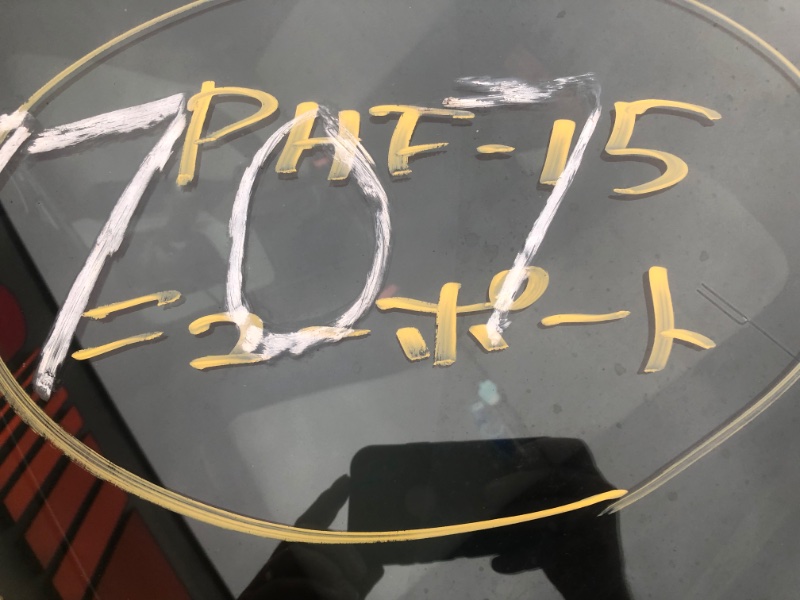
Spotted at the local Autozone in October. Apparently after 20 years (?) cars that were banned from import can be brought over. The owner buys, imports and flips for a staggering markup…

-
He still has a lot of his work posted on his site. https://nickintimedesign.com/renix-4l-ecu-datastream/
-

Routing of factory antenna cable?
Gojira94 replied to EUREKA's topic in MJ Tech: Modification and Repairs
I Think #4 is for power antenna wiring, power option might also route the antenna cable there, someone with that option would need to say for sure. My non-power equipped 87SWB has #4 capped. #1 and #3 don't go inside. #2 I'm pretty sure is where mine was routed when I took everything apart, though that may have been moved there by someone in the last 36 1/2 years. The door/ ctsy light switch wire for the pass. side can be felt inside #2. It goes inside the cab through a very small rubber grommet. Putting the antenna cable through #2 does make available another well-positioned opening just above below the door switch wire/ grommet.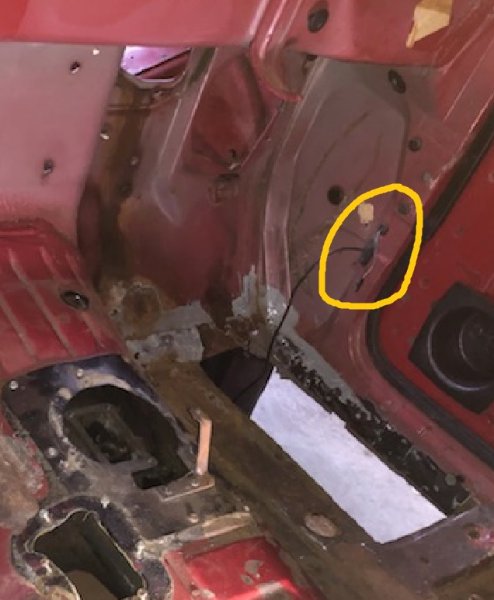
-
This may be a re-broadcast, but it solved another piece of my puzzle. My transplant NP231 is from a 93 YJ so it has a VSS unit and short gear in it. My one and only hope for something nearby was a 93 Dakota in the local yard. Then I'd need to find a new o-ring and inner seal if it was in decent shape. Most of these I've seen on Ebay are really old with blemishes/ minor damage and run from $25-$96, still needing new seal and o-ring. Apparently some sites selling early Hummer H1 parts have them, too. At least one Mopar restoration outfit in Michigan is selling a reproduction that comes with o-ring and seal, ready to go. John and Ryan are the guys who work the phones, I spoke with Ryan today. $65-ish shipped via UPS. https://www.rosevillemoparts.com/product/speedometer-pinion-adapter-only-1966-up-with-26-45-tooth-pinion-new/
-
High fuel trim and pinging
Gojira94 replied to Gubachoo's topic in MJ Tech: Modification and Repairs
A thought - do you think a ballast resistor with too much resistance might be excessively regulating/ restricting power to his pump? A bypass would be a quick and easy test in the field. Check KOEO pressure with it place, bypass, check again if a DVOM wasn't available? My 2 suspicions are a restriction in the lines (clogged filter or debris on the feed side) or inadequate fuel flow from the pump (weak pump, + feed or ground problem, resistor). -
High fuel trim and pinging
Gojira94 replied to Gubachoo's topic in MJ Tech: Modification and Repairs
I think the next step in the fuel delivery department is to verify fuel pressure. -
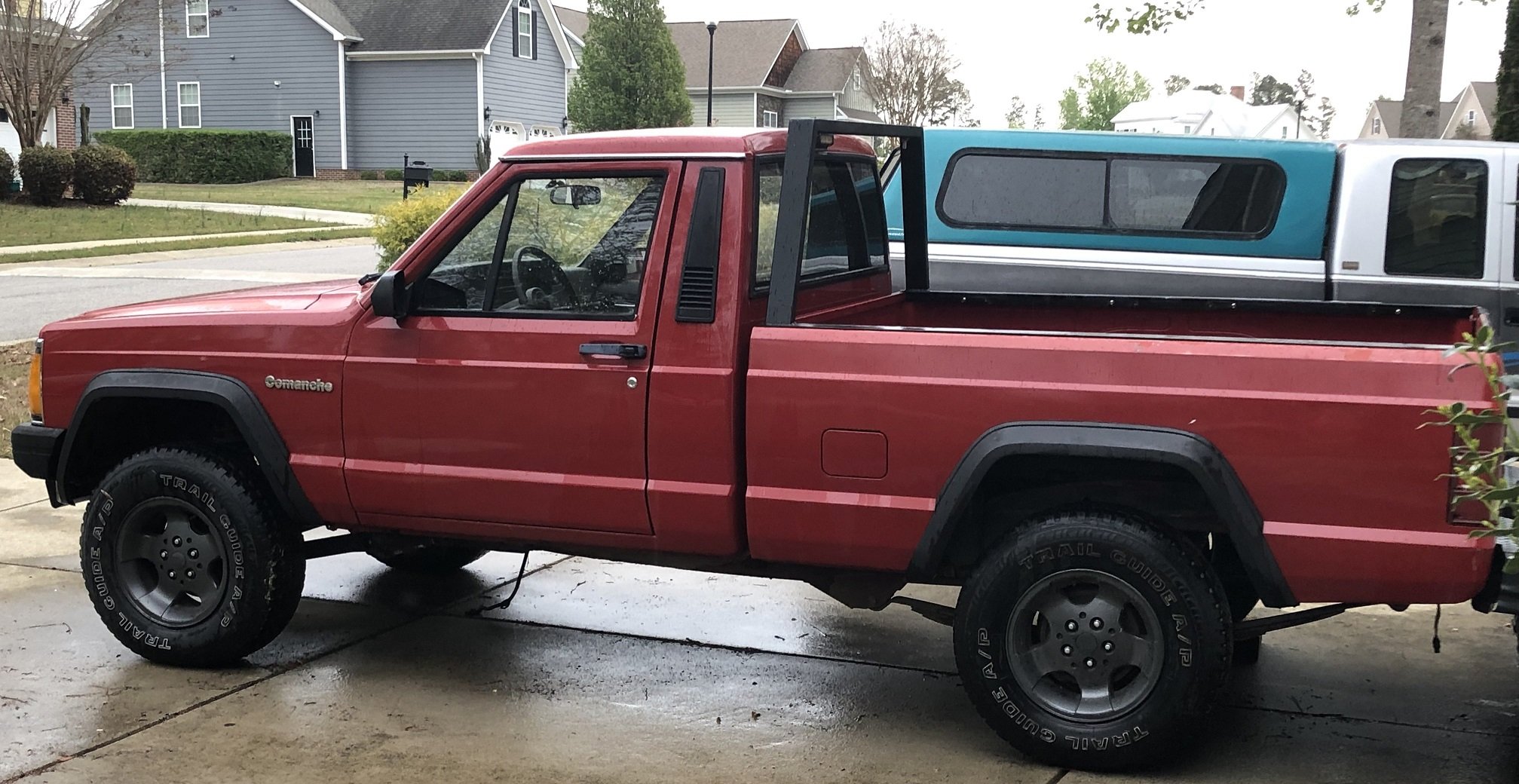
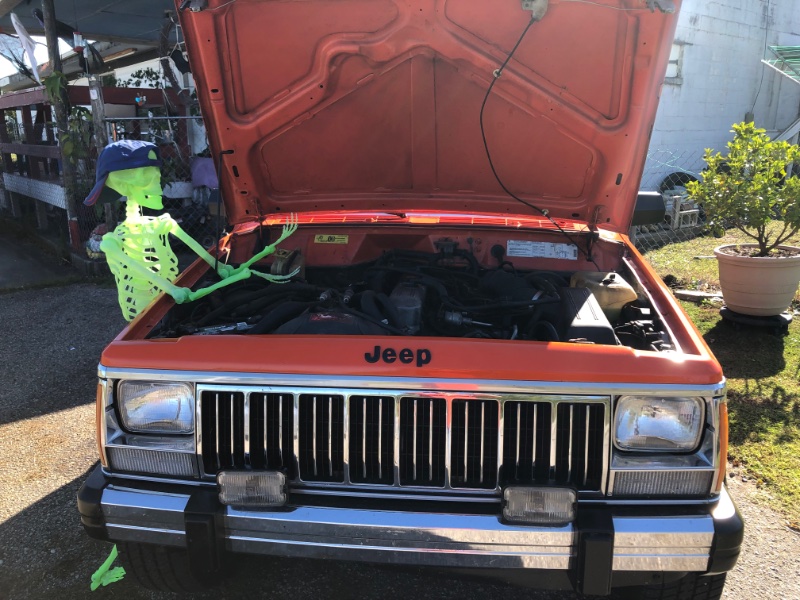
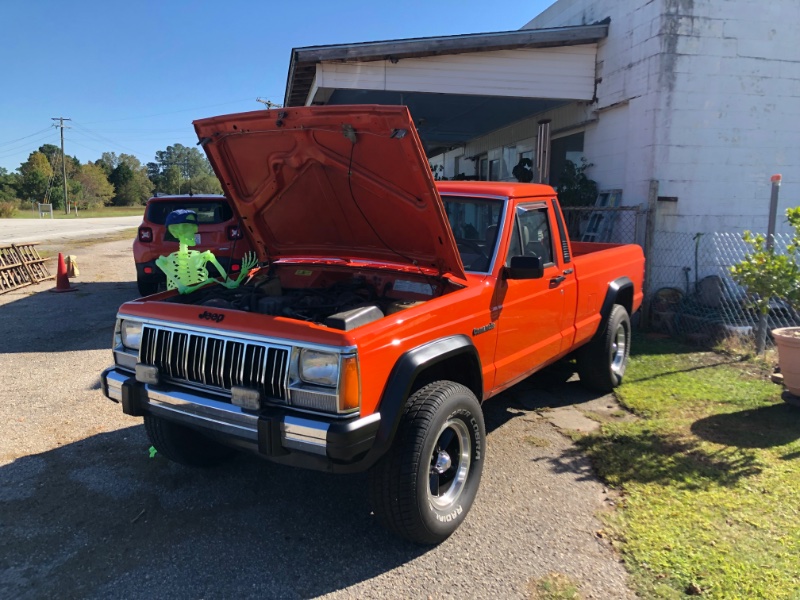
I saw the orange (yeah, I know) MJ just east of Kinston, NC that inspired me to find one for myself a couple weeks ago. This time it was mid-day and I had to stop. I admired from a respectful distance in a commercial parking lot and a couple minutes later the guy popped his head out (his place of business-ish). Seriously nice guy, kept it mostly original but ended up doing the 'option 2' swap with HO engine run by Renix ECU. Someone new asked about inexpensive lift kits in the tech section and it prompted me to take a random trip to Rough Country's site to see what was referred to in the thread. And there's the MJ in question on the RC site. https://www.roughcountry.com/gallery/3-inch-lifted-1990-jeep-comanche-mj-4wd-1130 Here's the 2 pics I took:
-
I appreciate the experience/ wisdom. I'd like to replace the windshield and go with the later rubber seal since the old chrome strips are the only chrome other than the roof drip rails, and the windshield isn't in great shape. I've never tackled removing a windshield from any vehicle. I'd like to have it out and all surfaces inspected/ repaired and prepped before a glass installer shows up. Good news for this MJ is it's been in NC all its life, now sits 22 min west of where it was sold in 1987. I've had an inspection camera everywhere inside the cowl and this spot is below the cowl envelope, and there's no rust at all coming in from above it, and the inside lip for the windshield is perfect.
-
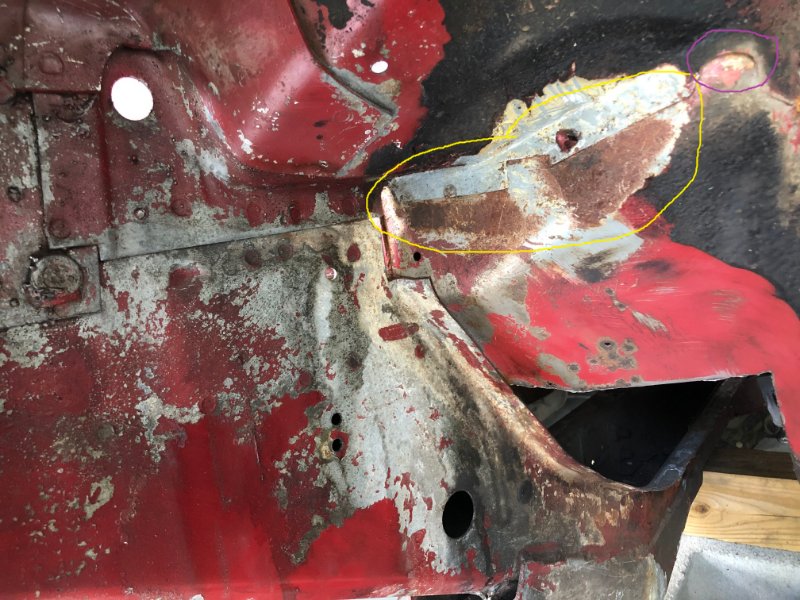
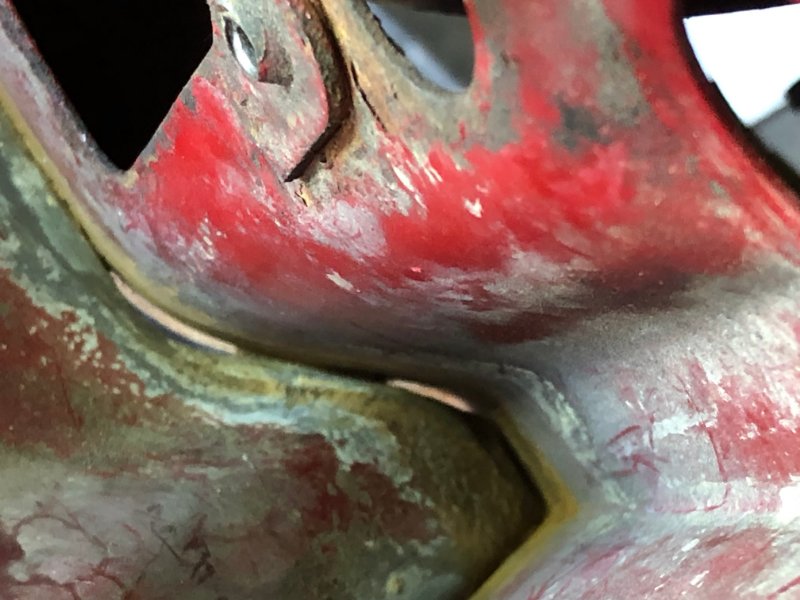
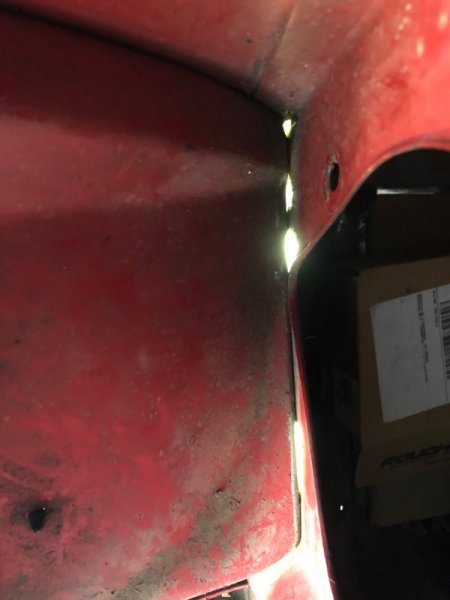
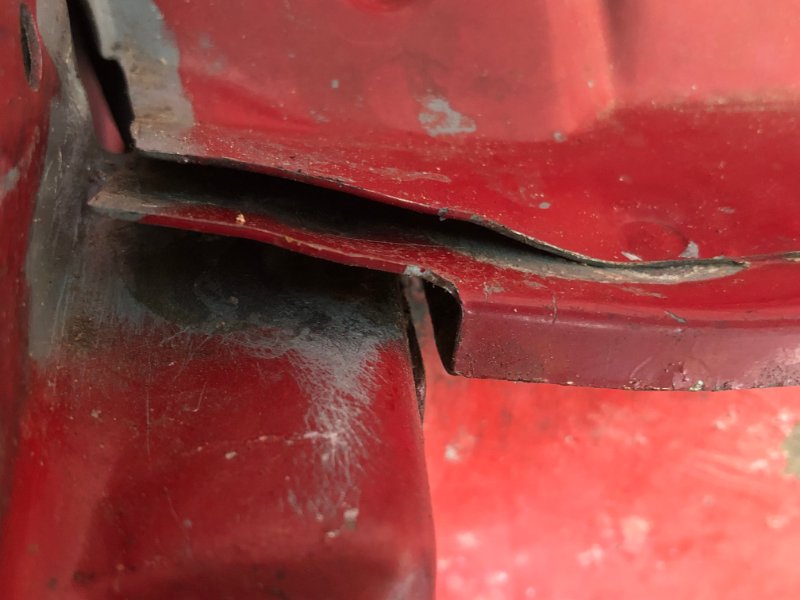
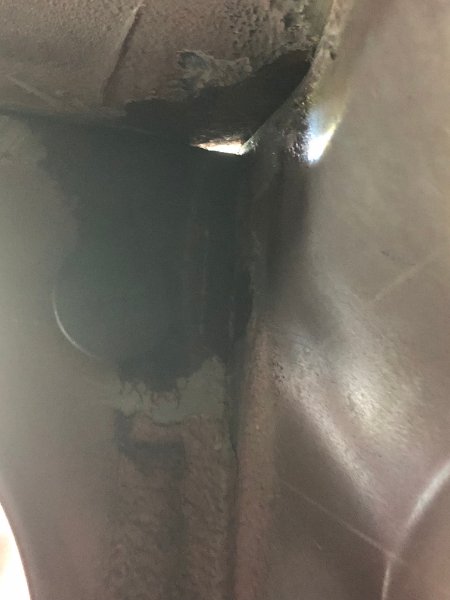
I've gathered a few ancillary parts here and there but I haven't spent any hands-on time since I started job #2 in April. Not a fun stage to be at, interior is ready to reinstall, fuel system is 100% restored, brake system 100% new. Have control arms and full suspension clean and ready. '99 Dana 30 needs a cleaning but it's ready to go an overhaul before it goes under. Main thing is cleaning down to paint/ metal from the front of the frame to the rear of the cab. Address any rust, prime, paint, re-undercoat. Then patch the floors, and everything can start going back together. So... in the corners at the firewall. I've always thought that's a horrible place to have water and dirt trapped, with all that seam sealer in there. Someone in another thread said maybe drilling a 1/16" hole or two might be good for drainage. Anyway, I wanted to get it all out and see what's what. My feeling is if there were a few small gaps to allow water to drain through, no seam sealer needed with a good coat of primer and top coat of enamel. Assembly plant guys plastered the bottom side, too. I pulled it all out both sides. Sure enough, the seam sealer on the bottom creates a reservoir for moisture once the top side loses adhesion after some years. I pulled the bottom edges out a hair and pushed a couple additional channels with a small punch between the layers for plenty of drainage. Circled in purple above, there is the drain channel that was designed into it, but assembly covered it both sides with seam sealer. This will all be stripped to metal, primed, painted and undercoated again, paying attention to maintain drainage afterward. It'll be behind new fender liners and easy to access, check and maintain as needed. But I think with good coating and easy drainage, rust won't be an issue afterward. I opened up the corner at the right of the channel as well after this pic. Passenger side below- the gaps aren't as large as they look, i backlit it with a really bright LED lamp for the pic.
-
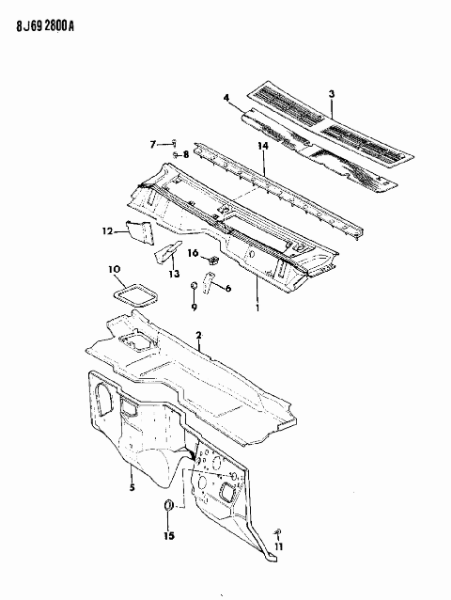
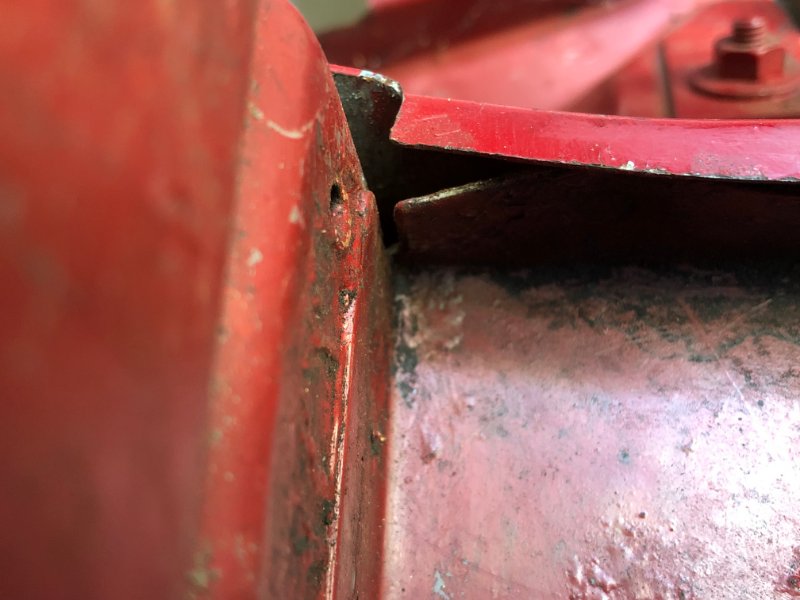
Here's how I'm going about it. One problematic issue is where the upper edge of the "Panel, Dash" joins under the "Panel, Air Chamber" with pinch/ spot welds all the way across. There are gaps in between the welds where parts 2 and 5 come together. Water and dirt settles in the gaps where 5 sags a bit between the welds: They're not bad or an issue except for a couple spots. In my case just this passenger end of the join. So what I'm doing is gently prying the layers of 1, 2, 5 apart just enough to get in there and treat the corner issue. Once clean with a coat of POR-15 I'm going to pump in seam sealer from both sides and pinch all the gaps completely flat again and wipe off the excess. With the layers opened up a bit I can get hobby files and a small steel engine brush in the corner gap to get the rust out from the inside:
-
Bulkhead junction block cleaning
Gojira94 replied to Dandxj's topic in MJ Tech: Modification and Repairs
I soaked both ends of mine in odorless mineral spirits. Brake parts cleaner and acetone evaporate way too quickly to do an effective job, unless you want to use a LOT of it... I did do a quick rinse with Brakekleen afterward though. And dielectric grease is fine, just don't go overboard with too much. -
GM ECMs from the same period have 4 primary parameters for IAC, where 0 IAC steps/ counts is pintle fully extended, closing off airflow and max IAC steps is fully retracted with max airflow possible: IAC park steps (where the pintle moves to at key off); shouldn't change. IAC initial steps (where the pintle moves to at key on) most likely CAN change/ "learnable" on Renix ECU. IAC minimum steps (lowest number of steps open possible/ pintle fully extended); usually low but not quite a zero value. Probably learnable on Renix ECU? IAC maximum steps (highest number of steps open possible/ pintle fully retracted); high, maybe 255 (256 byte words is values from 0-255). Probably learnable on Renix ECU? There are also stall saver IAC functions as well as target idle, acceleration enrichment ("throttle cracker") and deceleration enleanment IAC trims that operate in tandem with fuel and timing advance/ retard trims for these conditions (topic for another time). Also wondering if target idle has been learned artificially low (operates as a function of IAC vs TPS position) due to the vacuum leak it's been living with. A large vacuum leak can 'learn' the IAC positions to maintain idle/ run pretty far from default values. Have you disconnected the battery since fixing the vacuum leak? You might try it so the ECU can 'learn' from default values for IAC initial, min/max parameters, and from there follow the relearn procedure Ohm provided as needed. And TPS check/ adjust also a good suggestion from Ohm & pizzaman09.
-
Yes, hydraulic lifters (flat tappet and roller tappet) will leak down. That's normal, since you're literally squeezing the oil out going past zero lash. When the engine's running, oil pressure through the lifter gallery will keep them pumped up and immediately take up the resulting slack. Hit zero lash, add preload, done. Solid roller or mechanical flat tappet require hot lash with a feeler gauge, as accurately stated above. Totally different animal. I cautioned against too light a preload, which is especially consequential for hydraulic roller lifters. In the GM world, the "LS7" lifter has been popular and misunderstood. A fair number of guys were just blindly going 3/4 turn past zero lash. On a 7/16" x 20 stud, that's .050" which is fine, as that lifter wants to be somewhere between .045" and .080." On a 38/" x24 stud, that's .031" and the lifter rollers would skate and destroy the cam lobes and lifter rollers, scattering hardened metal throughout the engine. That being said... the lifter you listed above has no generally known specs for plunger travel distance. Short of measuring the lifter plunger travel on the p4529220, go with the FSM valve adjustment instruction. That should get you safely into the lower-middle range of its travel/ cushion. Pushrod length is important to at least get pretty close for valve stem longevity, and pushrods generally aren't that expensive. Very nice build you've got there!
-
Ideal rocker geometry has the rocker at a 90* angle to the stud at the mid point of cam lobe lift. This keeps the roller tip well centered on the valve stem and prevents any sideloading on the valve stem that might otherwise occur. Very few cams have such a difference between intake valve lift and exhaust valve lift as to make it ideal to have different pushrod lengths for each ( > .025" lift split ). Use an adjustable pushrod length checker of appropriate size range. With a magnetic dial indicator on the tip of the rocker directly above the roller tip/ valve stem, roll the engine over slowly. As you come off the base circle of the cam, the nose of the rocker will drop. Keep rolling the engine slowly until you reach max lobe lift and divide that by 2. Roll the engine over again until that valve is closed and again begins to open. when you reach the /2 number you got from max lift, STOP. Adjust your pushrod length checker until the rocker and stud are 90* from each other at zero lash. Imaginary line through the center of the trunnion and roller tip is one line, center line of the stud is the other. If your preload, based on the plunger travel exceeds .025" add that to the pushrod length you get from the pushrod length checker. Simple low tech pushrod length approach without a dial indicator: use gear marking compound on the valve tip and lengthen/ shorten the pushrod length checker, rolling the engine over, repeating until you have a narrow sweep pattern centered on the valve tip.
-
You shouldn't be able to lift the roller tip off the valve stem, obviously. If you run out of threads for the poly locks before you get to the trunnion on the rocker, you've got the wrong studs. As for preload, it very much helps to know the plunger travel distance spec on the hydraulic lifter. Say if it's got .060" of travel, and you're running 3/8 x24 studs you'll want to go 3/4 to 1 turn past zero lash to get between .031" - .042" into the lifter's travel range (about the middle of it). Pushrods could also be too short if I'm understanding what you're saying...
-
I don't think I knew that. My old man was there from 69-71, worked with the Chieu Hoi under Hop Tap in III Corp and IV Corp. I have 2 sets of his tiger stripes. When I was a kid in the 70s, every Sunday at my grandparents' house there were vets from WWII, Korea and Vietnam around. One by one they've all gone. My old man is the only one left, he'll be 80 in January. Every time I see a vet wearing a Vietnam hat or shirt, I make a point of speaking to them, thanking them and telling them what I remember of the men who served in all the wars, and how much they're appreciated and missed. You're very much appreciated.
-
I'm essentially doing the same as you're considering, running an HO engine with a 89-90 Renix manual harness/ computer. Your advantage is you have all your Renix-compatible sensors already, only question is if you've done the open cooling system upgrade. The rad I got has a plugged boss for the Renix style fan switch, which was a pleasant surprise, so I'm using the Renix fan switch. My donor is a 93 YJ, so I'm capping the port for the fan switch in the thermostat housing. If I had a Renix t-stat housing, I'd run it instead for the same reason. Only other caveats I can think of are to swap over the speedo gear and possibly the TC indicator switch, not sure if it's the same but probably is. Little things like reverse light switch pigtail being different is a possibility. If you're comfortable with refreshing the 96 shortblock yourself, new bearings throughout/ inspect all journals is a good thing, though cam bearings can be tricky without the right tools. Very light DIY hone of the bores and new rings would make it pretty happy. So would new valve seals, springs and lapping the valves. Refreshed head with worn rings = burning oil though, and new rings with leaky valve seals also = burning oil so don't do one without the other.
-
Hot engine, smoke and sticky brakes
Gojira94 replied to Virginia's topic in MJ Tech: Modification and Repairs
2 things come to mind: One, an old brake hose on one side (or both) in the front, partially collapsed. Allows fluid to flow to the caliper easily enough but doesn't allow the fluid to move back up the line toward the proportioning valve and master cylinder when the pedal is released (pretty typical of front hose failure). As this inside of the rubber portion of the hose breaks down, crumbs/ sediment settles in the caliper, hose and points upstream, potentially causing small clogs in the proportioning valve and master cylinder. This inhibits normal back and forth flow of the fluid between master and caliper. Two: sediment/ debris in the master's rear compartment (rear portion is for front brakes, front is for rear). Anything that can cause an obstruction to fluid flow can cause the sticking you're observing. This condition can momentarily resolve itself if the rubber crumbs/ sediment move around a bit, but it will come back sooner rather than later. You can open the master, and if the fluid is dark enough you can't see the bottom of the reservoir, pull it out with a turkey baster and see if you have a lot of sediment in the bottom. This is a good indication that the front hoses are shedding material. The rubber line at the rear is far enough from the master that it usually gums up the wheel cylinders before it gets drawn all the way back to the master. If your rear brake bias proportioning valve is still in place, it could potentially get fouled with debris from the rear hose, but I'd focus on the front brakes as the primary culprit and keep the rears in mind as a near-future item to inspect/ address. Probably no worse than replacing the front hoses, quick flush of the calipers, cleaning out the hard lines up to the master, the master itself and refilling/ bleeding to start with. -
Bottom Radiator Bushings - Dimensions Needed
Gojira94 replied to Salvagedcircuit's topic in MJ Tech: Modification and Repairs
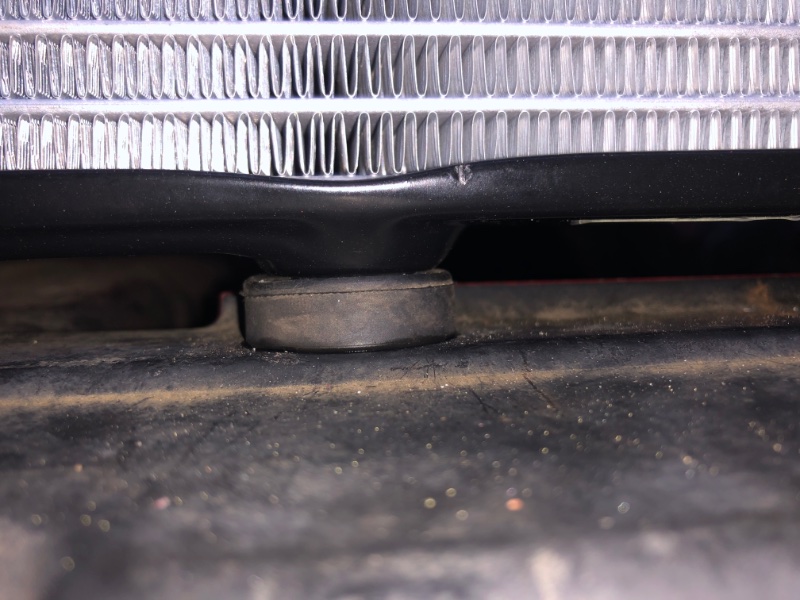
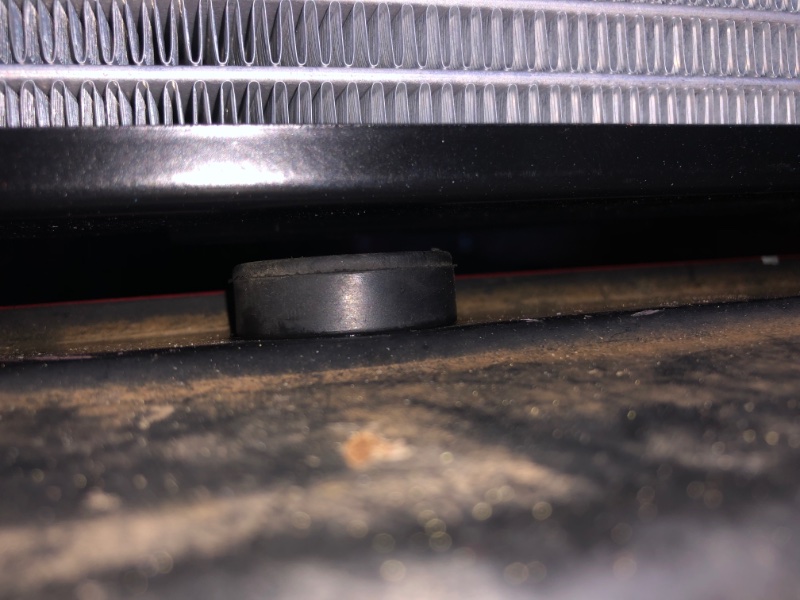
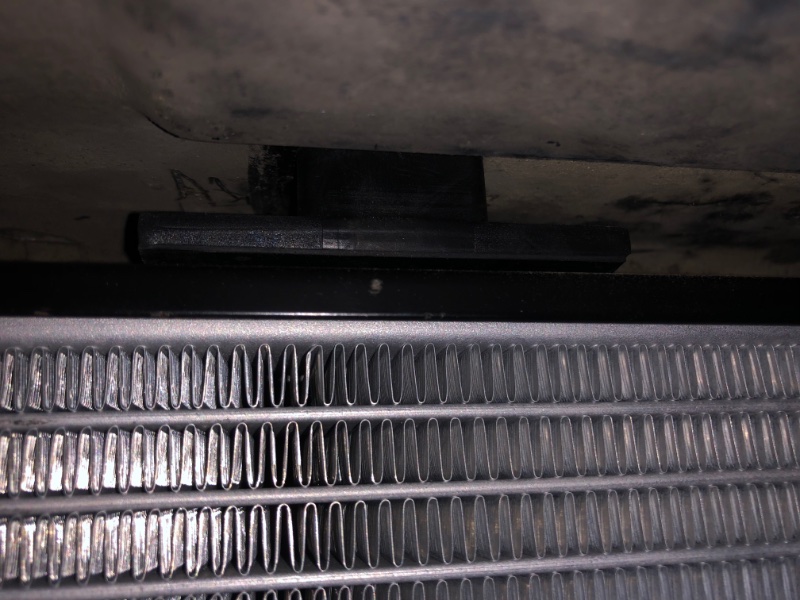
The Honda condenser supports are a winner. And they’re ubiquitous. I gathered 6 from my local boneyard in 10 minutes, paid about a quarter each. Pretty much any Accord or Civic from 2003-2017. I cleaned up 3 and popped them in with a drop of spray silicone. I can’t say about a closed system radiator, but this is from an open system setup radiator, 87 upper radiator support that originally held a 4 cyl rad, and new upper radiator cushions: upper cushion, right side: lower, right side: middle one could use something taller since there’s no pin here on the HO/ open system rad- maybe the closed system rad has a 3rd pin here?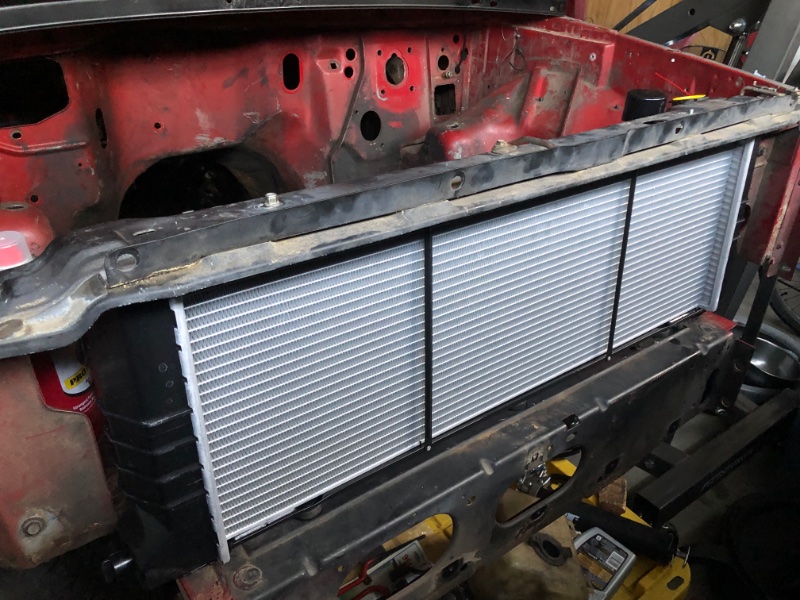
-
Sorry, GM terminology. “Power Enrichment” mode. Like when TPS positive delta (change) of 40% or whatever is detected from TPS, ECU enters a mode of adding fuel, much more than say for Acceleration Enrichment for mild/ moderate acceleration. A WOT or PE mode usually also ignores O2 input, stops doing ST fuel trim and LT fuel trim learning and commands a fuel amount from a table lookup of RPMs vs manifold pressure in kPa. Why I asked about ST fuel trims gong to zero. Indicated to me that the ECU purposely stopped doing the math, possibly for a false WOT mode or maybe a false closed throttle indication from the TPS. We used to hook up a fuel pressure gauge and tape it to the windshield to confirm fuel pressure when issues were suspected. Since these trucks don’t have a pressure sensor at the rail, the REM can’t tell you if you suddenly lose fuel pressure. Loading up too much extra fuel feels almost the same- bogs/ dies and then clears up when you lift.
-
Renix EGR block off plate
Gojira94 replied to Htchevyii's topic in MJ Tech: Modification and Repairs
Vinegar... real quick lol.