
Airborne Janitor
-
Posts
483 -
Joined
-
Last visited
-
Days Won
1
Content Type
Profiles
Forums
Gallery
Everything posted by Airborne Janitor
-

Help me identify shocks, rear leafs
Airborne Janitor replied to Gojira94's topic in MJ Tech: Modification and Repairs
What year was the changeover? And were all metric tons LWB? -
Help me identify shocks, rear leafs
Airborne Janitor replied to Gojira94's topic in MJ Tech: Modification and Repairs
I think you have an extra leaf spring or add-a-leaf in the spring pack. Stock springs were 3+1 overload, metric tons are 3+2 overload. -
Need some advice
Airborne Janitor replied to Whitaker717's topic in MJ Tech: Modification and Repairs
FelPro BS40612 2 piece seal https://amzn.to/3vVvxbI -
$5 on amazon https://amzn.to/3X3QrkQ or $1.50 on rockauto + shipping. Cheap piece of mind.
-
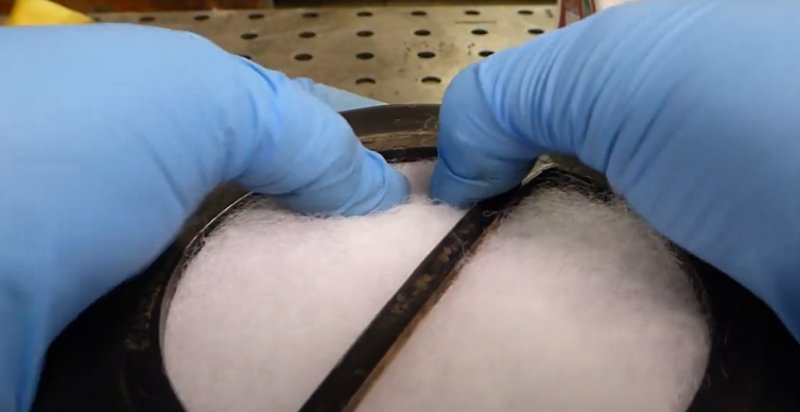
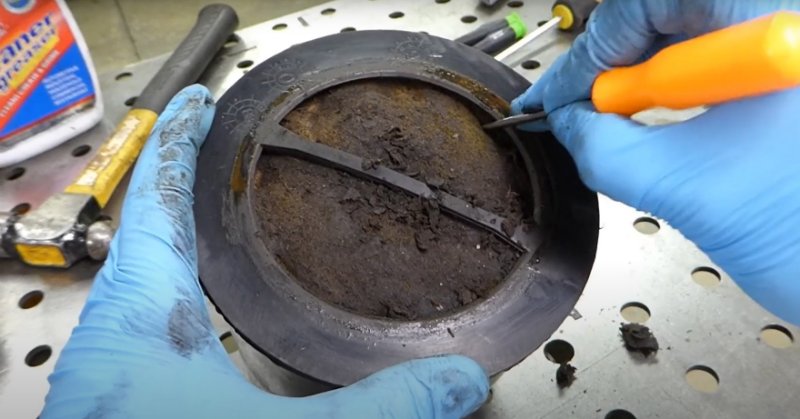
Pulled the charcoal canister from my MJ after realizing that there is a filter replacement for it, WIX 42998. Pulling the old filter is as easy as popping off the bottom cap and physically pulling the filter out. Installation is just shoving the new filter in there. Very easy and inexpensive service job, especially if your filter is 30+ years old. I did get curious and cut apart one of the spare cannisters I had just to see what's inside. I made an entire YouTube video about it that gives you more info than you'll ever need to know about these things. Be forewarned, I do cuss a lot. CLIFF NOTES: There's charcoal in there, and a couple foam screens.
-
stiffening the headliner?
Airborne Janitor replied to Pete M's topic in MJ Tech: Modification and Repairs
It's upholstery fabric that was installed by an upholstery shop. Finished result. My cutouts are for an XJ overhead console I modified to fit my MJ.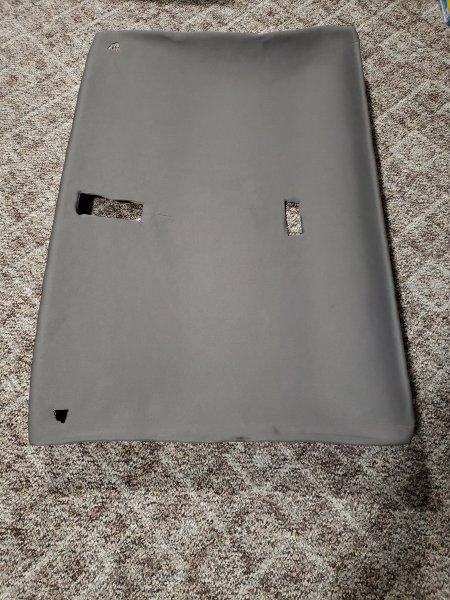
-
stiffening the headliner?
Airborne Janitor replied to Pete M's topic in MJ Tech: Modification and Repairs
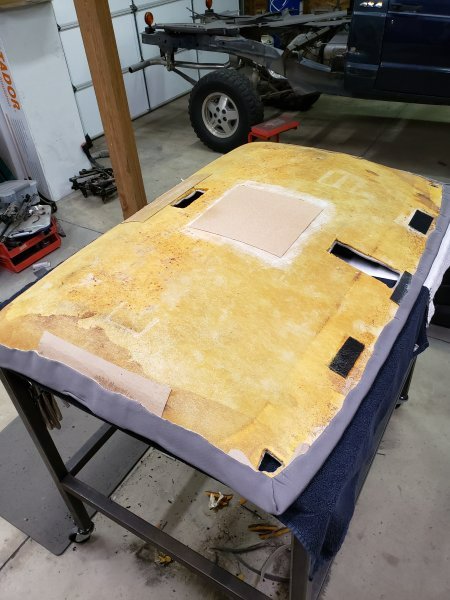
I used some chipboard and upholstery glue to reinforce the weak/cracked areas on my headliner and to help stiffen it up a little.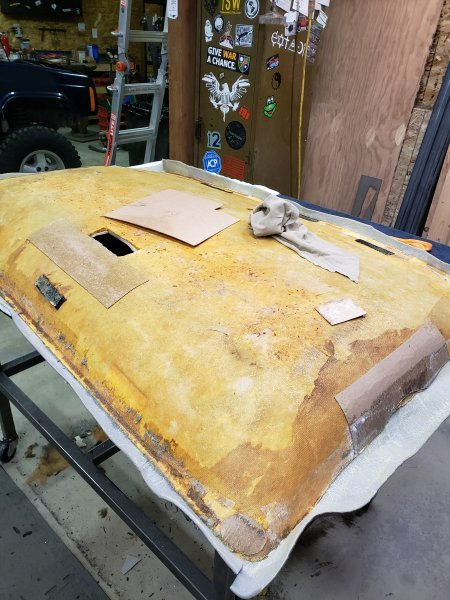
-
https://www.quadratec.com/products/55014_8202.htm
-
Good eye, that does look like a crack....
-
I had a very similar issue in my XJ and ended up swapping in another t-case, thinking the chain was done. Wasn't the problem tho, it was a broken tooth on the front ring gear.
-
What Eagle said. I have a 97 XJ aw4 auto trans and 231 case and it looks just like your photos. The later model cases are 23 spline vs the older 21 spline, and talishaft housing is different and the splines stick out a few inches more than the older case. I'm willing to bet that the previous owner swapped both the trans and transfercase at the same time (easier). Out of curiosity why are you replacing the chain?
-
Have you seen this? https://ogrshop.com/products/street-comanche-body-kit
-
Unibody damage what are my options
Airborne Janitor replied to RowerJim's topic in MJ Tech: Modification and Repairs
Yup definitely need a welder or know someone who has one. Is insurance going to cover the damage? I'm thinking a shop will want thousands in repairs. Could maybe use that money to buy a welder and the parts to fix it yourself, then pay for a paint job and still come out ahead. Depends on what insurance says and if they total it and all that jazz. -
Unibody damage what are my options
Airborne Janitor replied to RowerJim's topic in MJ Tech: Modification and Repairs
My MJ was in an accident similar to yours. I ended up welding frame stiffeners to repair and reinforce the unibody. Replaced the fenders, hood, header panel. Used oxyfuel to heat up the original "frame" boxes to bend them straight, and lots of clamps to sandwich the frame stiffeners. Quite a bit of fabrication involved if you tackle this yourself. End result: Details in my build thread: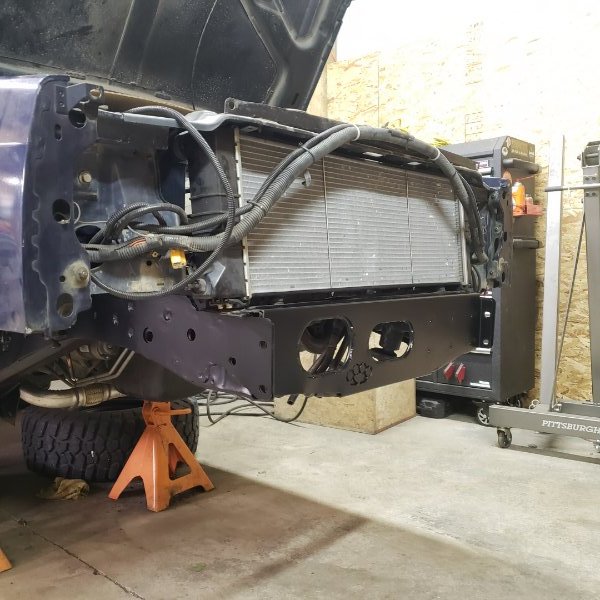
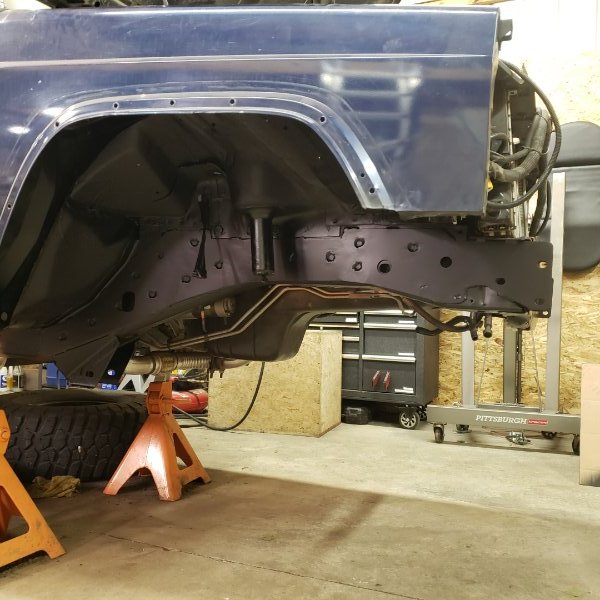
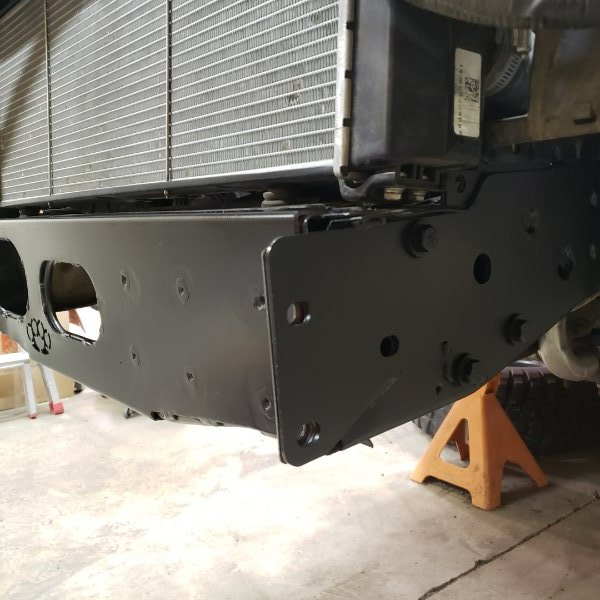
-
Pulled the control module and set the dials to exactly how they are pictured here. Cruise works perfectly now! I tested it at 60, 65, and 70 MPH, checking speed with GPS in addition to the speedo. No more than +/- 1 MPH on the cruise speed when engaged. Thanks again @eaglescout526 for the kit and tips. I added some additional pics and information to the write-up above as well.
-
Nice work! Wish I had a lathe and mill in my shop!
-
I wondered the same thing, that these crappy aftermarket temp sensors may have caused a lot of "overheating" issues in many MJs and XJs over the years. So I ordered a Mopar unit for my XJ that I will install when I flush the coolant in the spring.
-
Stripped wheel bearing bolts
Airborne Janitor replied to VorTekX's topic in MJ Tech: Modification and Repairs
If you have access to oxy fuel heat up the knuckle around the bolts super hot. If you can't get any bite on the bolts with a big pair of vice grips, try grinding 2 flat spots on the bolt head opposite sides of each other so you can get an open end wrench on there. Highly recommend heat before any other destructive methods. -
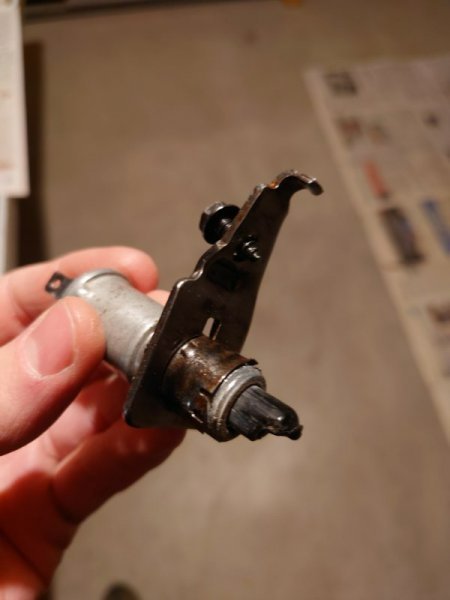
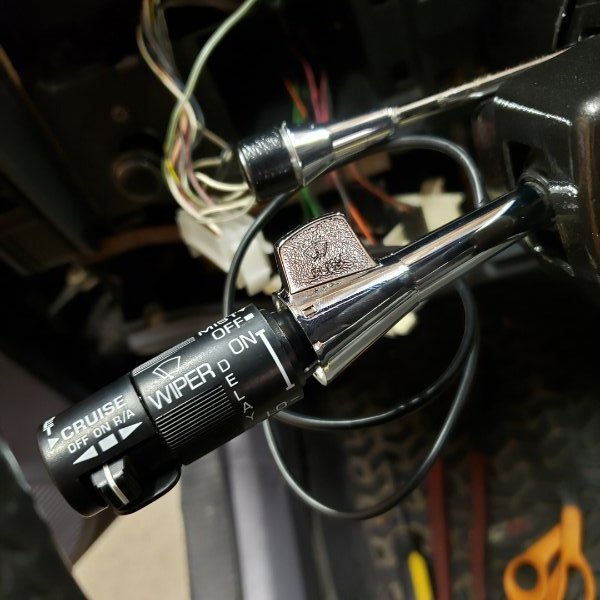
I didn't have much look finding a replacement turn signal lever, even searching for GM originals on ebay. Tried modifying the included kit lever and got it to work. Ground 1/4" off the end of the rod. There was still a small gap between the selector sleeve and wiper controls, so I used a 3/4" x 3/32" o-ring to close it up. Put a little grease on the o-ring to prevent squeaking.
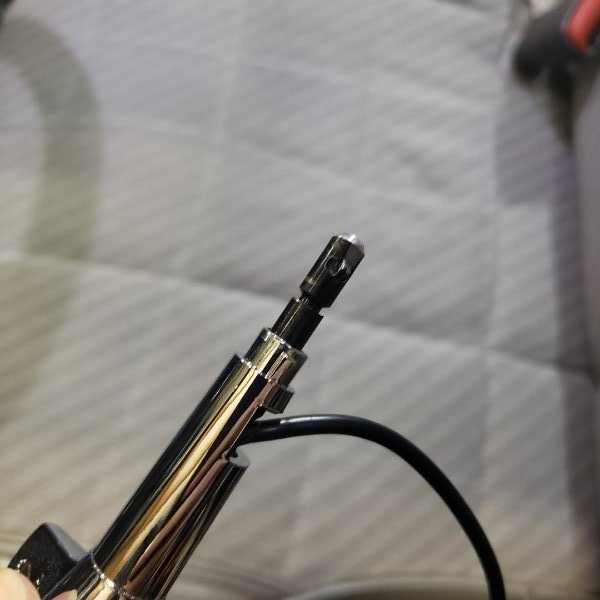
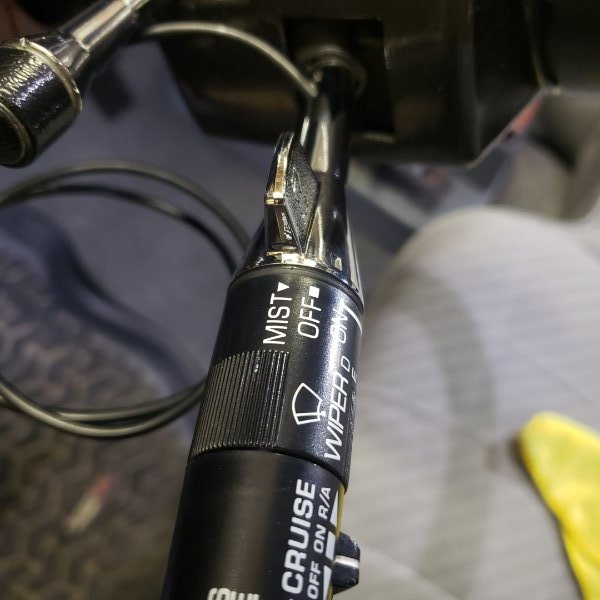
-
Took a few measurements of my old turn signal stalk. Hoping to find a proper replacement. I guess Mopar part numbers are 56000034 & 56004595.
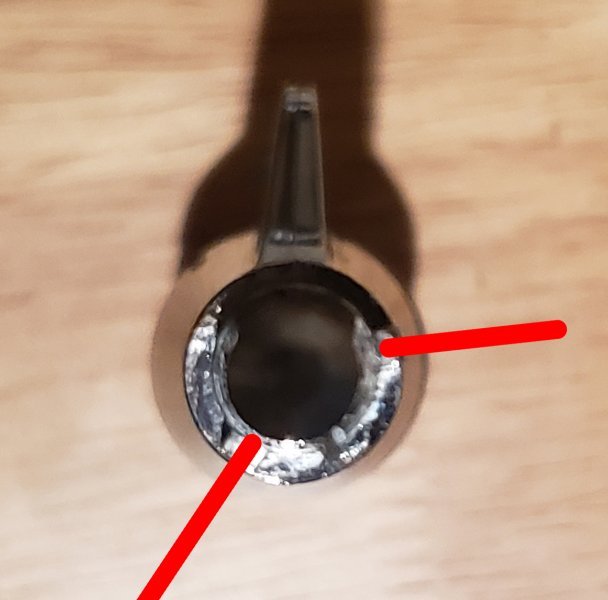
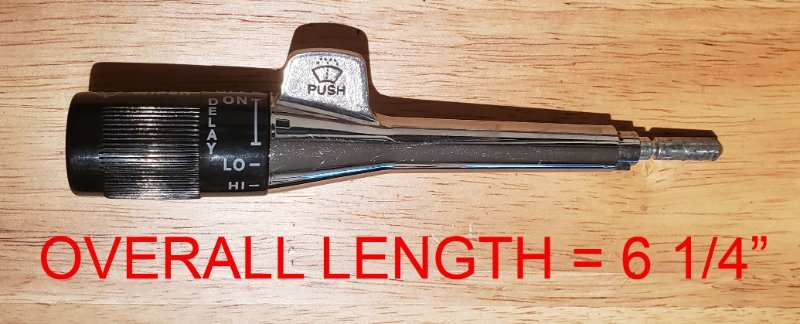
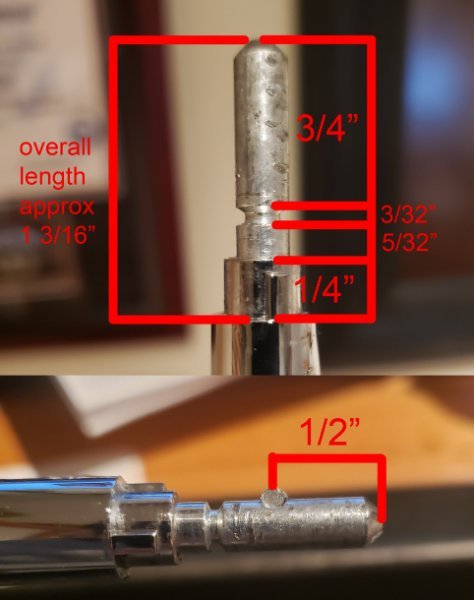
-
Glad to be a part of the club.
-
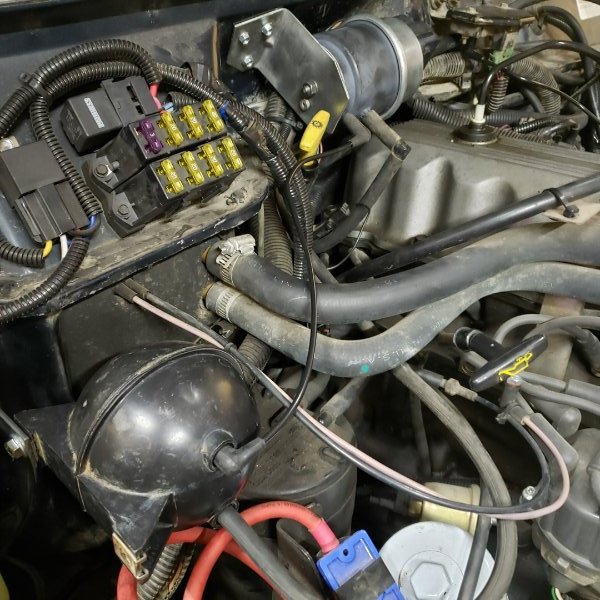
A few more upgrades over the last few weeks. Installed an OEM transfer case skid. I know there are better aftermarket options, but I'm not rockcrawling in this MJ and it was cheap. Did have to fab a couple of "nut serts" to install. Found these chrome gauge trim rings on ebay and had to have them. https://www.ebay.com/itm/222450910478 Installed with a little bit of prying and superglue. Polished the plastic cover with a buffing wheeling and some tripoli compound. Good as new. While I had the dash apart I wired up the low washer light to be functional. References here: The dash all buttoned up. Then I installed cruise control, which works but I'm still dialing it in. references here:
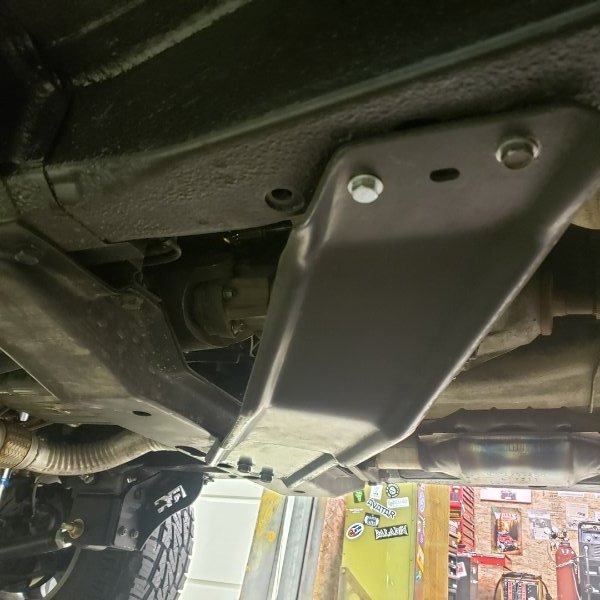
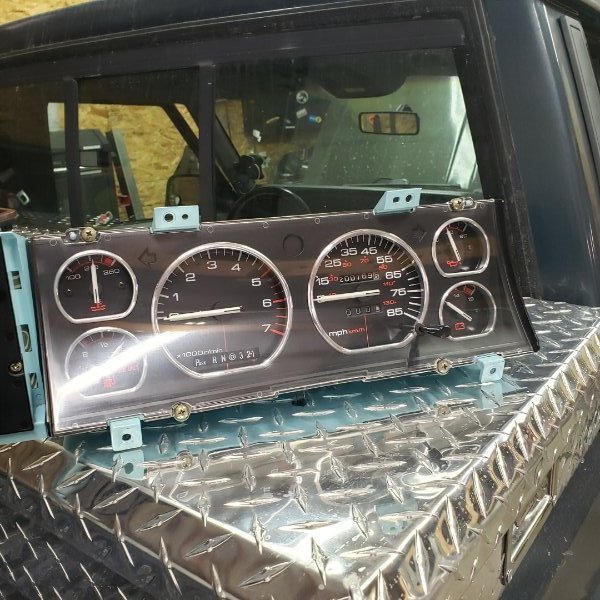
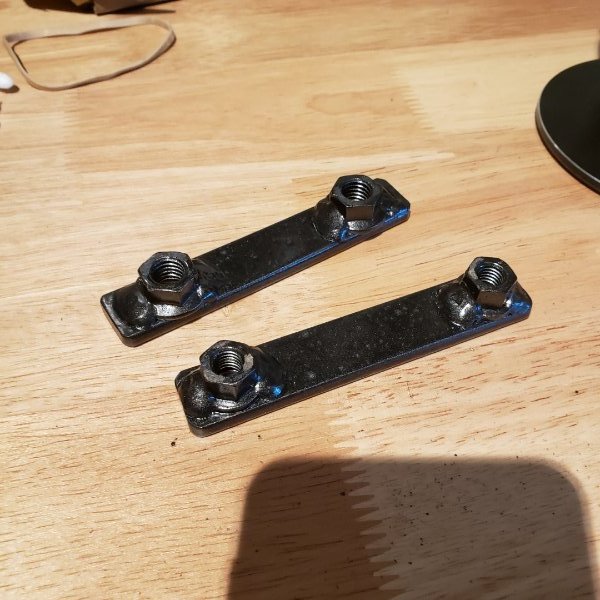
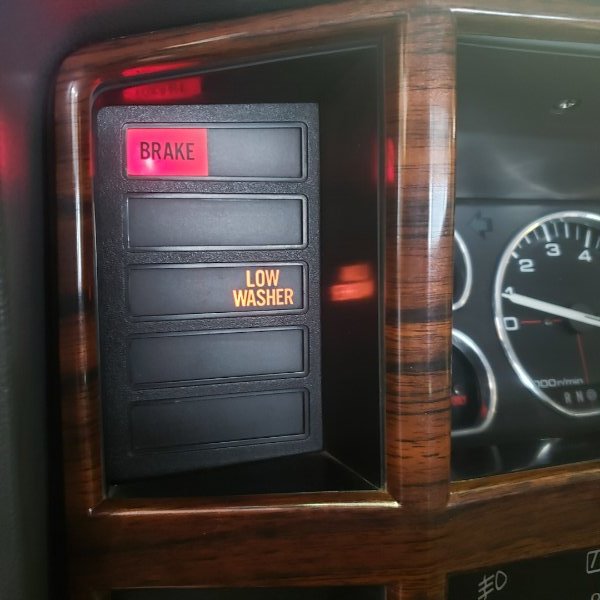
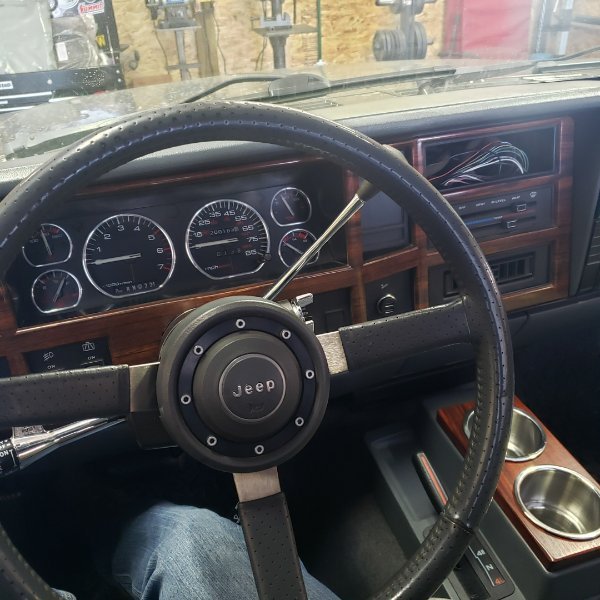
-
I just finished up the install and was able to take it for a test drive. Issues: 1) After wiring everything up and reconnecting the battery, I noticed my brake lights were on. Looking under the dash something smelled "hot" and I noticed the 4amp CC fuse had blown. FIXED - Figured out I had reversed the polarity of the CC brake switch wires when I tapped into the GM brake switch. 2) My wipers no longer work. I'm wondering if its a fuse or if I accidently disconnected the intermittent wiper module. Will look into it. FIXED - the connections on my wiper module came loose during install. 3) The cruise control functions! At speeds under 40MPH it works perfectly, engaging with the turn signal controls, and can be shut off with either the controls or the brakes. At highway speeds however it turns from cruise control to turbo control. Activating the cruise does lock the speed, but it also accelerates as well. So if you engage at 70MPH you will start to speed up to 75, 80, etc. FIXED - Adjusted the potentiometers on the control module. See below. 4) The before mentioned issue of the turn signal lever being the incorrect length. FIXED - ground a 1/4" off the end of the rod and used an o-ring to close gap. See below. Further troubleshooting required....
-
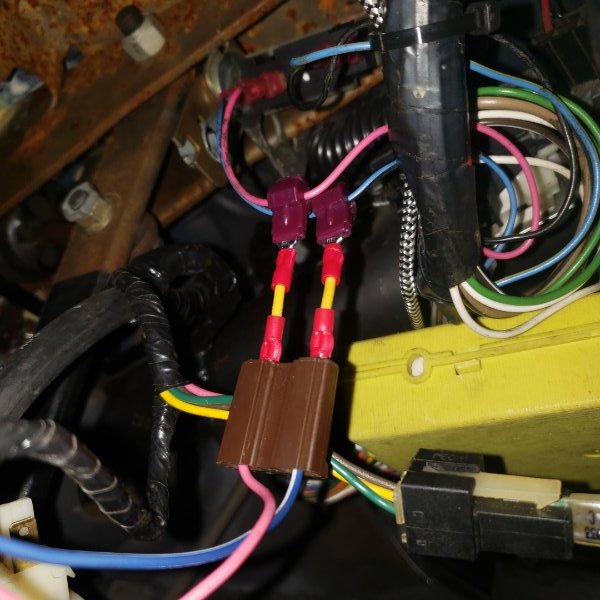
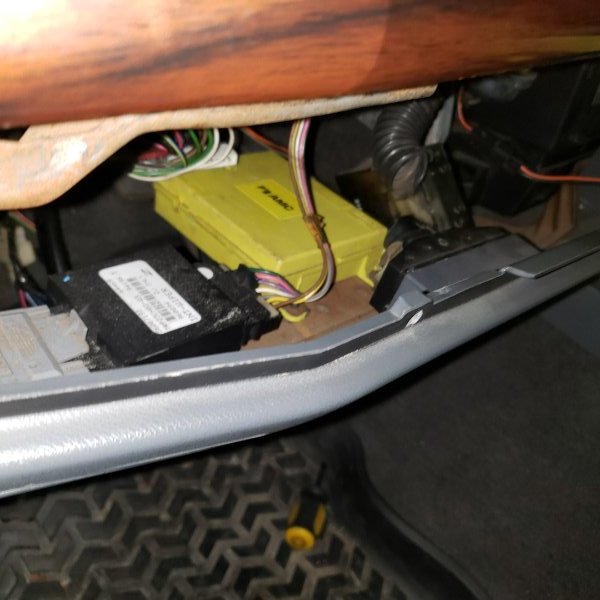
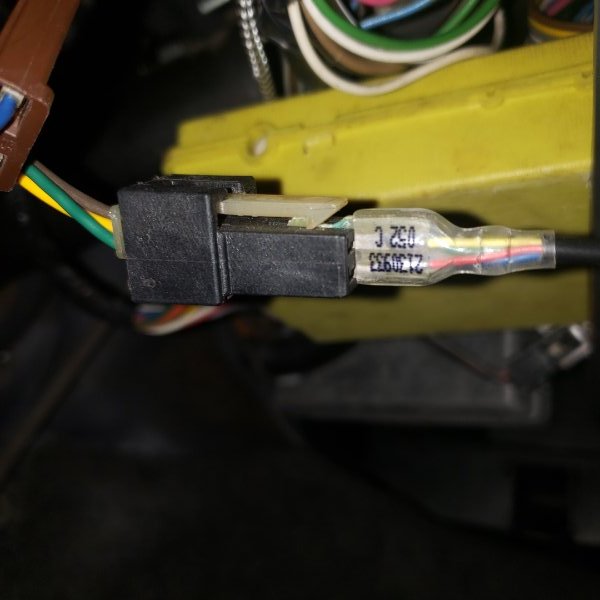
10) Install cruise control module This fun yellow box is installed on the lower dash trim with two machine screws. Install and plug in the long connector from the wiring harness. 11) Install turn signal lever/multifunction switch Removing the old turn signal lever is as easy as just pulling it straight out of the steering column. You may have to wiggle it a little bit for removal. Plug in your new turn signal lever to make sure it fits first! Route the cruise control cable down through the steering column (easier said than done). I ended up having to pull the steering wheel and getting under the turn signal switch to route the cable. You will need a steering wheel puller and a lock plate puller. A thin piece of wire helps here, such as some welding wire. Loop one end of the wire around the CC connector and then fish down through the steering column. Plug it into the last connector on the wiring harness. Now of course I had an issue with the supplied lever. It's almost like the "rod" is too long, so when installed there's a 1/4" gap between the "selector sleeve" and the rest of the lever. The stalk still functions, so for now I will be using it for testing purposes. Will update when I find a suitable replacement.
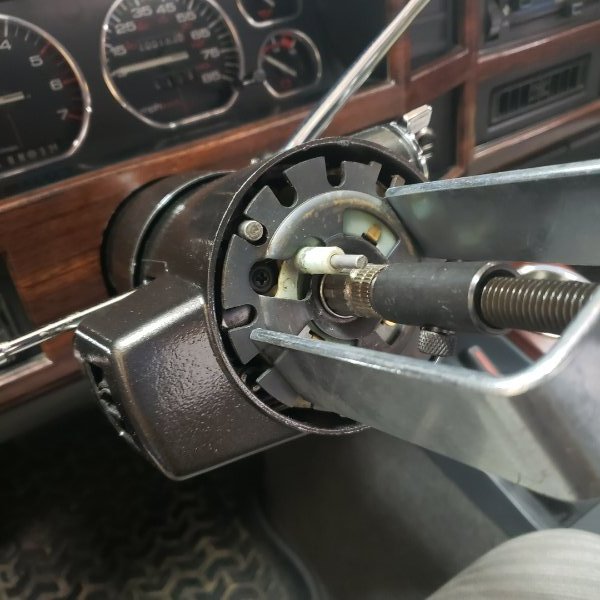
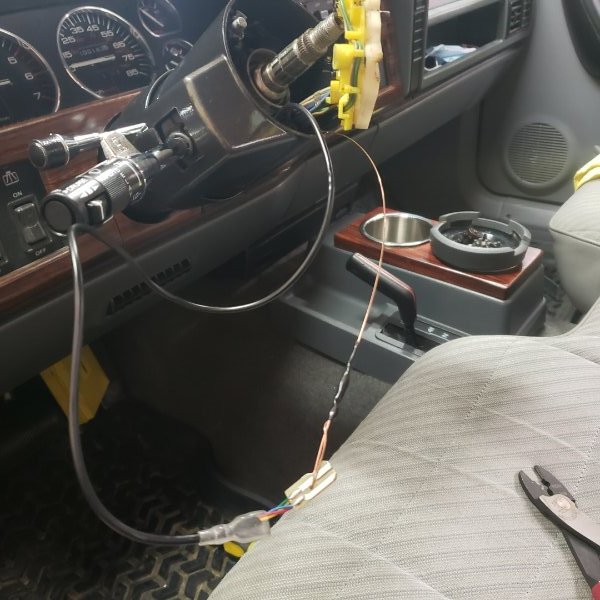
-
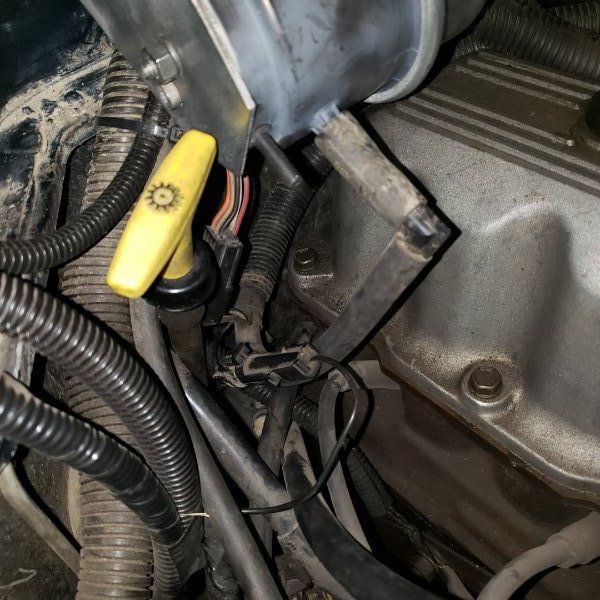
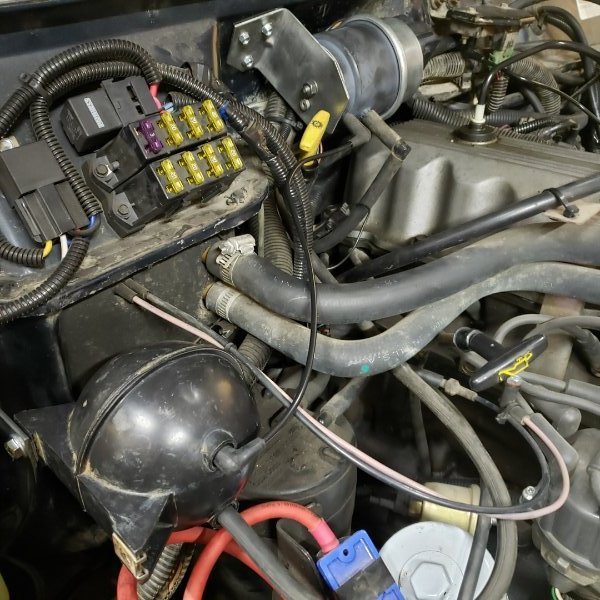
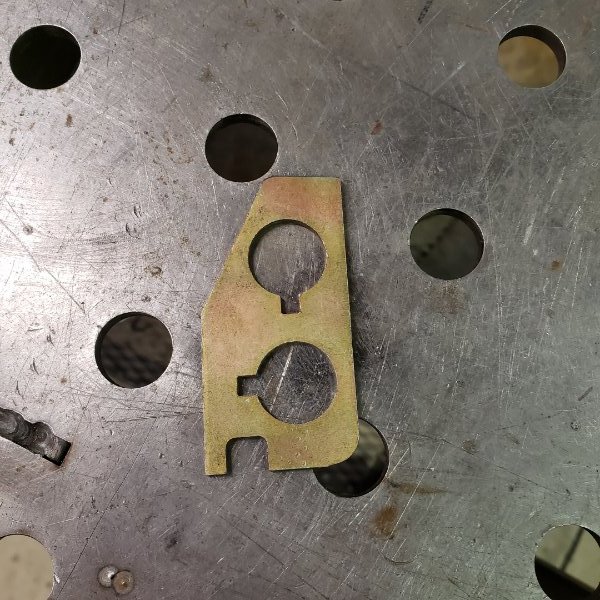
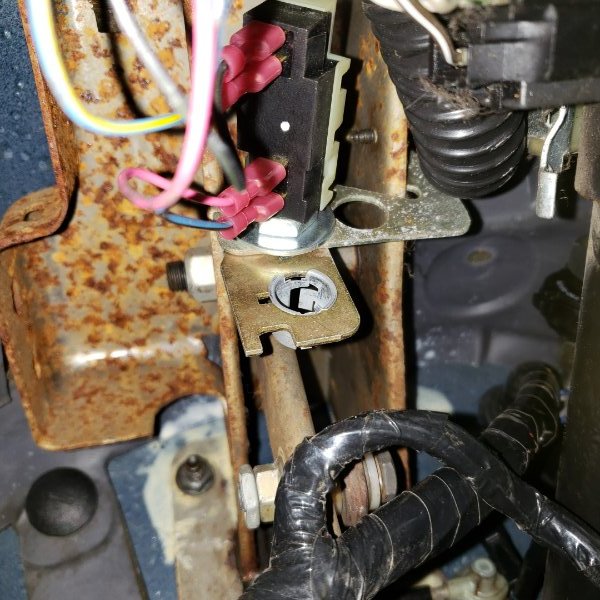
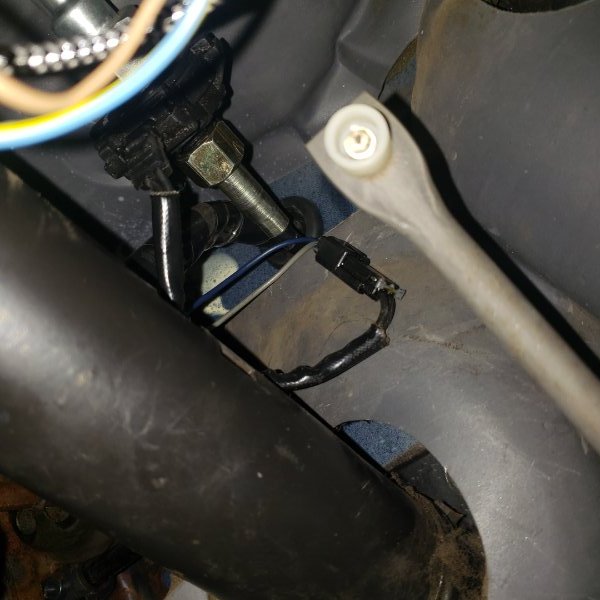
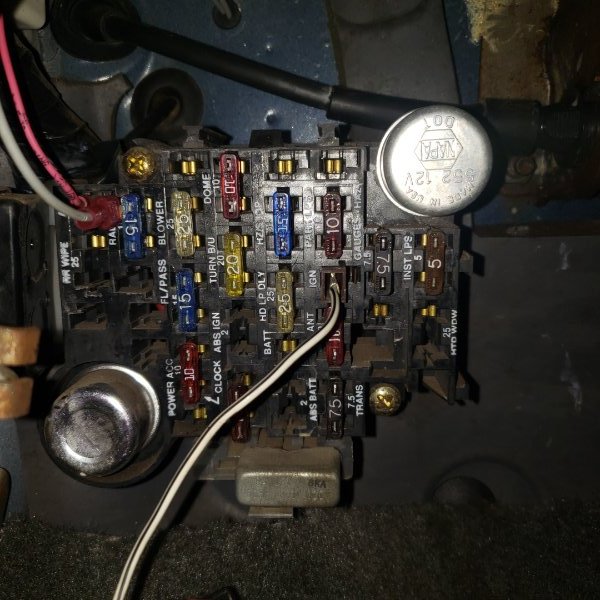
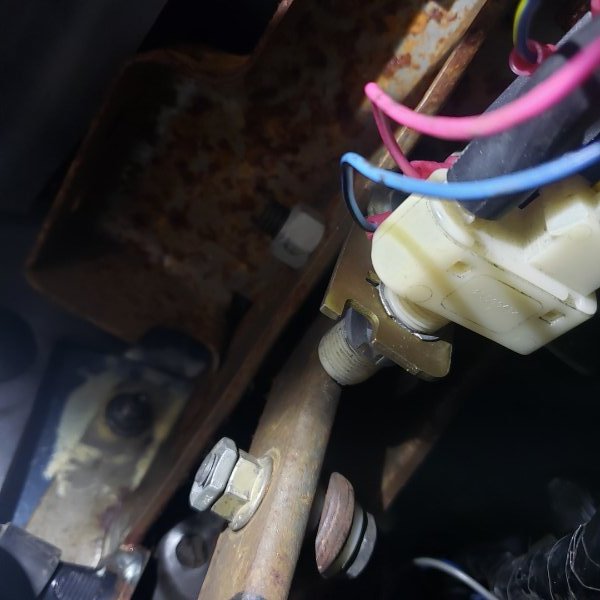
7) Install servo connections. Take the wiring harness you just pushed through the firewall and route it along the back side of the motor/firewall. Connect the vacuum hose the the larger port on the servo, connect the electrical connector, and connect the ground cable to that weird long connector coming from the passenger side engine wiring harness. You know the one everyone asks "what is this for" every few months. CONGRATULATIONS, now you belong to the club of knowing what that connector is for, and actually using it. 8) Install vacuum harness. The kit came pretty complete with the vacuum harness and the 4-port vacuum reservoir (football). As I sat there staring at the mess of vacuum lines I wondered if there was an easier way. My MJ has a 97 XJ Dana 30, AW4, and NP231, so no vacuum 4x4 system. Heater control valve, what's that? I rummaged through some parts and found a 2-port vacuum reservoir (baseball) that I figured would work better. Removed the rubber elbows from the old vacuum harness, and found some new plastic tubing that I cut and bent. I used a heat gun to bend the tubing. Connected the vacuum reservoir to the smaller port on the servo. 9) Finish installing wiring harness (interior side), brake switch, vacuum release/TCC switch w/ bracket, speedo sensor, and clutch switch. The very end of the harness has a single wire plug (gray w/ black) that fits right into the IGN slot on the fuse block. There's a 4amp fuse along with this plug, make sure it's in good shape. Now if your MJ is pretty stock, you can replace the stock brake switch with the cruise control version. The difference is the extra set of prongs for the CC wiring. If you're cheap you could just splice into the wiring on the existing brake switch. If your truck doesn't already have the vacuum switch bracket installed, its easy installed with one self tapper. Then just shove the vacuum switch into the steel grommet in the bracket, and connect the vacuum switch with the TCC wiring that should be under the dash. I have a 96 XJ brake booster. Normally this wouldn't be an issue if I had ground down the "flat spot" on the booster rod, but when I did the BB install I removed the stock brake switch and vacuum/TCC switch completely, replacing it with a GM brake/TCC switch (NAPA #SL186) instead. This decision created additional "challenges" when I did this cruise control install, one of which is what to do with the cruise control brake switch. Since I didn't want to mess with the brake booster rod, I decided to just tap into the wires going to the GM brake switch, forgoing the stock brake switch again. The other challenge I ran into was mounting the vacuum release/TCC switch. My MJ already had the bracket installed, along with the vacuum/TCC switch. Presumable this is because my MJ is an auto, and needs a TCC (torque converter clutch) switch regardless of it if has cruise control or not. But when I did my BB install I ditched this switch and installed the GM switch in its place. So how was I going to mount the vacuum/TCC switch for the cruise set up? I certainly didn't want to take anything apart unless I had to... So I decided to cut the switch bracket... Then bolt this "plate" with the GM brake switch, leaving an extra hole for the vacuum switch. Because my GM brake switch also acts as the TCC switch I did not hook anything up to the vacuum/TCC switch. So now it acts as a vacuum dump valve. If your set up was stock then you would plug the connector from your old switch into the new vacuum switch, if required. Now plug in the connector from the speedo sensor. If you have an auto then the clutch switch connector can be plugged into itself, and may already be. If you have a manual then this connector is installed on the clutch switch, which is installed on it's own bracket.