
Dzimm
-
Posts
3580 -
Joined
-
Last visited
-
Days Won
11
Content Type
Profiles
Forums
Gallery
Everything posted by Dzimm
-

Help clarifying 97+ interior swap
Dzimm replied to EUREKA's topic in MJ Tech: Modification and Repairs
Here is a link to probably the best documented 97+ swap ever done by Alexia. The interior stuff starts on page 3. This thread also has pretty much the only good pictures of the stripped interior that still work. It should have all the visual info you need to understand what I was saying above. http://comancheclub.com/topic/32740-alexias-1987-to-1997-comanche/page-3 -
Help clarifying 97+ interior swap
Dzimm replied to EUREKA's topic in MJ Tech: Modification and Repairs
Ok here is the long winded response. I will get back to clean this up and with images as I am suddenly very busy today but wanted to get you some more detailed info. Also with the new deal with Photobucket, it is hard to find good images for this stuff. I am kicking myself for not taking good pictures early on in my build... - Dash mounts. You will need to drill out the spot welds holding the factory MJ dash mounts/steering column brace on the firewall and start with a clean slate. From here you need to cut the factory dash mount from the passenger side of the 97+ XJ out and bolt/weld it to the MJ firewall. The steering column/ brake pedal assembly from the 97+ XJ will be the mount for the drivers side of the dash. This will require some holes to be drilled through the drivers side kick panel/inner fender area. From there you will need to modify the rail along the windshield to accommodate the new holes for the dash. This can be done by cutting strips of thin metal with the correct hole locations, and welding them in place. - The steering column hole in the firewall will need to be relocated up and to the right IIRC. If you cut the firewall out from around the steering column hole and brake booster holes of the 97+ XJ, it will give you a nice template for tracing. Also the half-moon shape that is cut from the MJ firewall can be flipped and welded on to patch the half-moon area of the original hole not being used anymore. - The HVAC box will require a new hole to be drilled up high on the passenger side of the firewall for one of the mounting bolts. - There will also be a gap around the main cutout fro the HVAC box that isn't filled properly by the 97+ box. This can be fixed with a small piece of metal welded in. There is also an oval shaped hole near the passengers left foot where a wiring harness used to go. This will need patched over. The last big patch on the firewall is around the main body harness on the far drivers side of the firewall as the 97+ harness grommet is smaller. This can be cut from the 97+ XJ for proper sizing. - The seat mounts from the MJ seats should be removed from the seat and welded to the bottom of the XJ seat. There is a lot of cross bracing under the XJ seats, which offers as lot of area to weld to. - The emergency brake cable and pedal can be left in place but this requires some modifying of the 97+ drivers kick panel and possibly the dash. To use the 97+ console mounted handle, take the cable and wrap it in a big circle under the drivers seat and bring it up to the center console where the brake handle will need to be mounted. For this you will want to cut the protrusion on the bottom of the mount off so it can sit flush on the MJ trans tunnel. You can then use this piece you just cut off, or fabricate a new one to \hold the cable in place behind the handle. - There is some smaller things like mounting the center console that really is just trial and error getting the holes in the right spot. Like I said, I wrote this up in about 5 minutes because I am strapped on time today but I will get back and try to clean this up and get some good pictures. You should be able to use some of this information to get you started on the swap or started on some more in depth research of your own. I apologize if something doesn't make sense. -
https://www.google.com/url?sa=i&rct=j&q=&esrc=s&source=images&cd=&cad=rja&uact=8&ved=0ahUKEwic_YvmysjVAhUESRoKHYP4D5sQjRwIBw&url=http%3A%2F%2Fcomancheclub.com%2Ftopic%2F32187-rockdrummer93s-99-mj-trail-rig-build%2F&psig=AFQjCNEHSPUYFzNeatHslV-whN_FZM-EbA&ust=1502314156582141
-
10 Hole Rim "Jeep" Center Cap Replacement Decals
Dzimm replied to Lucas7667's topic in MJ Tech: Modification and Repairs
I will take 5! Mine are all bubbled and melted looking. How much will you be selling them for? If it's the right price I'd consider 5 with the AMC/Jeep logo and 5 with just Jeep. -
Help clarifying 97+ interior swap
Dzimm replied to EUREKA's topic in MJ Tech: Modification and Repairs
I have some info on the swap on my build thread (My (Just Another) 97+ swap). Not as much on the interior but you may find something useful. Also check out Alexia's build thread, it has tons of good info. The main things to consider for the interior are: - dash mounts on driver and passenger side - relocating the steering column hole - drilling a couple new holes for the hvac box bolts - the seat mounts - upper dash mounts - brake pedal/steering column assembly mounts - patching firewall holes around the hvac box and main body harness - emergency brake cable relocation These are the big modifications that have to be done for this swap, everything else is pretty much bolt in. Most of the holes can be patched/relocated by just cutting the firewall from the new XJ and using it as a template or welding in place. As for the other stuff I will gather more in-depth info and get back to you tomorrow. -
Well the flares are painted, modified, and installed. The front flares and front retaining bracket obviously had to be cut down. I really like the older factory flare retainers since the bolts pass through the flare and hold it on. The 97+ retainers are awful since they are just clipped on. I've had those come off on the highway and I really don't see these coming off. Sent from my HTC U11 using Tapatalk
-
Special deal on upgraded fuel injectors for 4.0L
Dzimm replied to BLHTAZ's topic in Vendors- members making products for MJs
I don't think there is an operating difference. AFAIK the only difference is the wire connector. The EV1 is for 99- 4.0s and EV6 came along with coil-on-plug in 00-01 XJs. For the MJ you'll need EV1. -
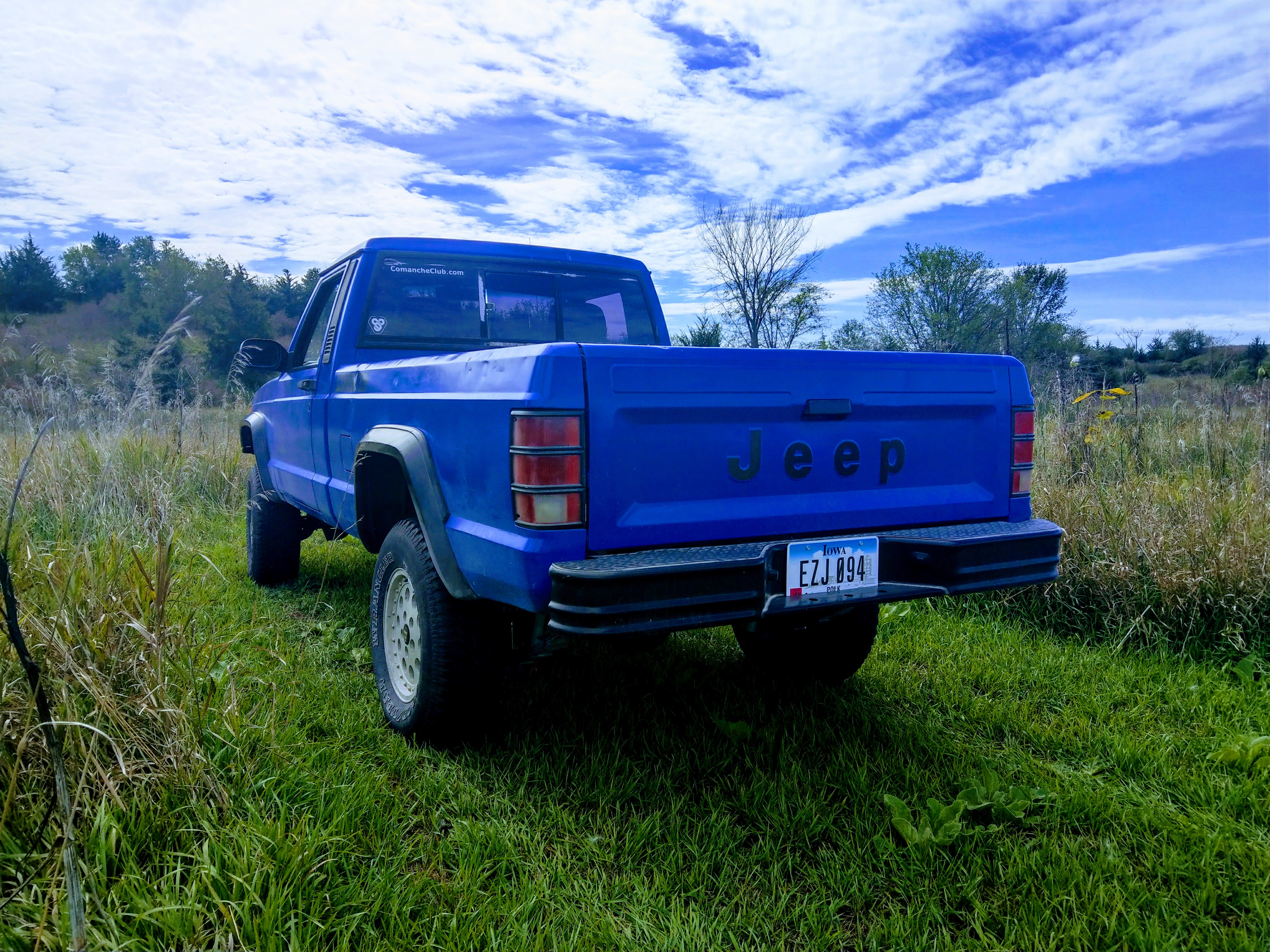
Small update. I got some shackles for the truck. Matching blue of course. With the shackles I also received some amber LEDs for my Lund visor that is going on the truck. It took awhile but I finally got all the wiring repaired and bulb sockets cleaned. I also swapped the 4-hole fuel injectors from my 95 XJ to the MJ. Since I had the 95 apart, I decided to try and get it running again. It runs better than I've ever seen. All it took was a jump from the MJ and half a can of year old Seafoam I had laying around. (cylinder 3 exhaust valve was stuck, which is why I parked it). Sent from my HTC U11 using Tapatalk
-
I would pick up the 3.55 it's what I'm running and will be fine at highway speeds with 31s. You can find them with better gearing but it's unlikely. Most C8.25s I've run into are 3.08 so what you've got there is a good deal.
-
Cool. Yeah if you spray it with spray cans, make sure you get the "automotive" branded ones as they have more UV protection and shouldn't fade. As for painting, take your time and it will come out good. I also want to mention that paint from a spray can doesn't get quite as hard as professional paint so you have to be a little more careful with things banging into your paint.
-
But pink and purple is more "Suzuki" lol
-
MeanLemons Battery Cables - Picture Request
Dzimm replied to Zambeezy's topic in MJ Tech: Modification and Repairs
On my 97+ it was the single, big black wire with the yellow stripe on the top of the alt (I had to modify it to fit in the black plastic surround thing). I haven't looked enough at a 96- alt to see how different the wiring is but I can't imagine it is much different. As for connecting to the PDC, it goes on the post under the cover of the end of the PDC. If nobody responds by tomorrow, I'll reference my 95 XJ to get more concrete info for you. -
The prep (removing bumpers, trim, sanding, etc.) took about 5-6 hours. The painting (taping windows, wiping the truck down, and painting all the layers) took about 10 hours Removing the tape and putting the truck back together took about 4 hours. Started Friday at 2pm and drove it again Sunday afternoon.
-
Thanks. Yeah I myself like the stock decals. I thought about doing the lower door Eliminator stripes but I wanted the "Comanche" name to be on the door like the 97+ XJs. Overall I think it's a good mix of newer and older stock decals.
-
I talked to him a couple months ago and he said he doesn't make the ones with the lights but would consider trying. He never got back to me after that. Has he since posted lighted ones for sale? I can't find his Craigslist posts anymore and I don't see anything on what I'm guessing is his Facebook page.He is apart of the XJ/MJ group. He makes them with the lights now. 300 with lights 225 without. Awesome. I found him and sent him a message. Thanks.
-
Looking better with the decals on it! Later this week my new front flares should be coming in. I have to get the rear flares cleaned up and painted black so I can get them all installed as well as cleanup and repaint the trim pieces. Now that the truck is all 1 color, you can see all the overspray and marks on the old trim pieces. I also need to start saving some cash so I can get bigger tires for this and a new set for the girlfriend's Commander. I'm not excited to spend $2000 on tires all at once... Sent from my HTC U11 using Tapatalk
-
That's not a bad idea. I had thought about using a Dremel and grinding out the recessed area so the lens would mount flush but I decided that was too risky on a $200+ visor. I will ponder your method of just gluing them on and see what I come up with.
-
I Know they still over a free upgrade to windows 10 from 8 or 8.1, are they still offering it for 7? Sent from my iPad using Tapatalk The official upgrade period ended July 16th (iirc) of 2016. However the upgrade tool on Microsoft's website still works. Basically you just don't get the annoying pop-up on your desktop. It should still work for Windows 7.
-
if the key was a "system builder key" yes there will be issues I have plenty of issues with those ebay keys. Ive never has issues with a retail version of Windows 7 Ultimate, the same key has been used on 3 different PCs when one bit the dust or was replaced. One perk to the embedded keys, if you drop your laptop and toast the HDD, when you get a new HDD just download windows 10 from Microsoft and install it, once installed it will automatically activate windows with the embedded Key. handy for these new laptops without separate recovery discs. Yes this is true. A retail off the shelf key can be reused, a manufacturer key that comes with the laptop cannot be transferred. That Windows 10 trick I forgot about. It worked every time when it first came out but became less reliable as time went on.
-
I talked to him a couple months ago and he said he doesn't make the ones with the lights but would consider trying. He never got back to me after that. Has he since posted lighted ones for sale? I can't find his Craigslist posts anymore and I don't see anything on what I'm guessing is his Facebook page.
-
Lol that's what a lot of people would say about windows 7. It's one of the best versions of Windows, second only to XP. Oh yeah those can be had at a good deal for sure.
-
Not Comanche specific but might have some useful info for you. https://www.mcneilracinginc.com/pages/install
-
If you have the windows product key from the old laptop you can give it a try but at some point during the Vista or early Win7 days (can't remember which) they started registering the product keys in a database. This means that the key is associated with the serial number of the motherboard and that is saved to a server. This will cause an activation issue with windows if it is running on the wrong motherboard. But it is worth a shot to save a few bucks if you can. I have had some keys not be affected by this. Good thing you saved the Office disc. A lot of people lose them or throw them out and then kick themselves when this happens. Did the loaded laptops come with windows pre-installed and everything? They must have bought a huge supply of leftover manufacturer windows keys if they are selling the whole shebang for that cheap. Yeah those adapters are handy to have. Just know that this one only works for laptop drives. There is a different one for desktop drives since they require more power than a USB port can provide. They have a separate power brick. Also I want to mention that official support for Windows 7 ends the beginning of 2020 so when that time comes you'll have to migrate to at least windows 10 (Windows 8 already lost support and 8.1 is losing it quickly too).
-
Also Office is fairly expensive these days so if you can't recover the old Office, you can use something called Open Office that is currently owned by Apache. It is free and looks and works very similar to Office. It will open any Word, Excel, Powerpoint, etc. file and allow you to edit it and save it in a format that will work with both Office and Open Office. I use this myself and the only thing I have run into is that you must pay attention to the file extension when you save it so that it works for both Office and Open Office and some of the newest features that Microsoft has implemented to Office don't work. So like the newest fancy fonts in Word and the newest slide transition noises won't work properly. But really who uses slide transition noises in a Powerpoint anymore. Here is a link to the download page if you want to give it a try (this link doesn't start the download, just brings you to the page) https://www.openoffice.org/download/index.html
-
No it will not. The drive from the Toshiba is 'locked' to the motherboard in the Toshiba and will not work properly on the Acer. You can however use a sata to USB adapter (link below) to plug the drive into another working computer, and it will show up similar to a flash drive in file explorer. Within the Windows files of the drive, you will find the 'users' folders where you can drag and drop any files or pictures onto the working computer that you want to save from the dead one. You CANNOT transfer any programs though so Windows, Office, Photoshop, etc will not transfer. If the Office is 2013 or newer, it will be registered with your office.com account and can be re-downloaded. If it is older than that, you must have the install disc and product key. As for the drive, after you pull any files/pictures off you need, you can wipe the drive and use it as an external HDD to store things on if it still works properly. It could also be wiped and installed in the Acer with a fresh copy of Windows. https://www.amazon.com/StarTech-SATA-Drive-Adapter-Cable/dp/B00HJZJI84/ref=sr_1_1?ie=UTF8&qid=1501464265&sr=8-1&keywords=sata+to+usb+3+adapter !!!THIS ADAPTER WILL ONLY WORK FOR LAPTOP DRIVES!!! What is the price difference for the laptops you are looking at that come with and without a HDD? Laptop drives can be bought new for around $50 for a 1TB. Or use the one from the Toshiba if it still works and is wiped clean. Windows 10 is around $100 You can still find Windows 7 product keys online but beware they are sometimes fake.