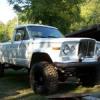
ftpiercecracker1 Posted October 4, 2012 Posted October 4, 2012 I have finally gotten around to seleting a picture i would like to use for my avatar, but every single picture i have tried to use has been rejected as "bigger than 50kb" this is the photo, if it can be worked, that i would like to use. A big thanks to all the mods out there that keep this site in working order :thumbsup: Image Not Found
ftpiercecracker1 Posted October 4, 2012 Author Posted October 4, 2012 Thanks! :D Its my comanche's BIG brother. EDIT: Geonovast, first i was like, :hmm: whats this supposed to be and then :idea: thanks for the assist.
sinkrun Posted October 4, 2012 Posted October 4, 2012 Can you tell us how to do that or would you be willing to do mine?
Dadinator Posted October 4, 2012 Posted October 4, 2012 Most computers come with paint. (if you're running windows) Find your picture on your computer. Right click on it and then point to "open with". Choose to open the picture with paint. Click on resize and adjust the size until it is what you like then save it with another name (so you don't corrupt your original).
Pete M Posted October 5, 2012 Posted October 5, 2012 or you haven't uploaded it on the web yet, you can email the photo and your screen name to comancheclub@hotmail.com and I can shrink and upload it for you. :thumbsup:
sinkrun Posted October 5, 2012 Posted October 5, 2012 Thanks Pete as soon as I get my canyons on in a few days I take a good pic.

Recommended Posts
Create an account or sign in to comment
You need to be a member in order to leave a comment
Create an account
Sign up for a new account in our community. It's easy!
Register a new accountSign in
Already have an account? Sign in here.
Sign In Now