codymanche Posted October 1, 2010 Author Posted October 1, 2010 okay ima try but I'm not really comp smart lol
codymanche Posted October 2, 2010 Author Posted October 2, 2010 http://www.facebook.com/home.php?#!/photo.php?pid=15130301&id=559580172&ref=fbx_album [urlhttp][/url]
Pete M Posted October 2, 2010 Posted October 2, 2010 close. try right clicking on the image, then select "copy image location" and paste that here. highlight it, then click the IMG tag. should give you something like this: which gives you this:
codymanche Posted October 3, 2010 Author Posted October 3, 2010 when i right click or highlight or copy paste won't work either
Pete M Posted October 4, 2010 Posted October 4, 2010 firefox or explorer? are you clicking on copy image or copy image location?
Pete M Posted October 4, 2010 Posted October 4, 2010 in that case, right click, then click properties and copy the address of the photo itself (rather than the address of the webpage) and use that here. p.s. firefox is infinitely better.
codymanche Posted October 6, 2010 Author Posted October 6, 2010 no nothing either they too big or it just won't work haha also my motor went out in the windshield wipers if this a easy fix can u buy the motor from autozone?
Pete M Posted October 7, 2010 Posted October 7, 2010 I would start by giving microsoft the boot and downloading Firefox. :thumbsup: (mozilla.org)
codymanche Posted October 8, 2010 Author Posted October 8, 2010 It was not possible to determine the dimensions of the image. this is what it says when i try it the way u told me
Pete M Posted October 8, 2010 Posted October 8, 2010 can you paste the address here so I can see which you're using?
Pete M Posted October 8, 2010 Posted October 8, 2010 one more thing, some websites have blocked access to hotlinking their photos. this might end up here as the "can't determine size" error. we should probably take this over to the "test" forum since that's it's whole purpose. :yes: once you get the hang of it, it's easy. I promise. :D then you can share all sorts of stuff.
codymanche Posted October 9, 2010 Author Posted October 9, 2010 http://sphotos.ak.fbcdn.net/hphotos-ak- ... 21557_n.jp this is what i put
Pete M Posted October 9, 2010 Posted October 9, 2010 that close. reeeeeeal close. somehow you're missing the 'g' on the end. it should end in ".jpg".
codymanche Posted October 9, 2010 Author Posted October 9, 2010 okay well i can put a pic on my profile even the ones u gave me are too big
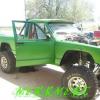
Pete M Posted October 9, 2010 Posted October 9, 2010 profile pics have a smaller limit than regular posts. is that the photo you want to use? I'll do that for ya.
codymanche Posted October 9, 2010 Author Posted October 9, 2010 yea it is haha till i get a better one

Recommended Posts
Create an account or sign in to comment
You need to be a member in order to leave a comment
Create an account
Sign up for a new account in our community. It's easy!
Register a new accountSign in
Already have an account? Sign in here.
Sign In Now